
PhantomBuster vs Prosp: lead data or LinkedIn outreach?
By Ghulam Murtaza, growth and marketing at Prosp
PhantomBuster is mainly a data tool. It pulls and enriches lead data from LinkedIn and other platforms, more than 15 in all, and it can also send connection requests and follow-ups. Prosp is built for the conversation itself, writing each LinkedIn message and voice note for the person receiving it and keeping every reply in one inbox. Use PhantomBuster when you mainly need lists, and Prosp when you mainly need replies.
How is Prosp different from PhantomBuster?
- PhantomBuster has more than 100 automations for extracting, enriching and moving data, with LinkedIn outreach as one of them. Prosp is a LinkedIn outreach tool from the first message to the reply.
- PhantomBuster charges one price for a whole workspace and limits it by run hours, automation slots and credits. Prosp charges per connected LinkedIn account, with no limit on campaigns or actions.
- PhantomBuster's AI message writer draws on the AI credits each plan includes. Prosp reads each prospect's profile and recent posts and writes the message as part of every plan.
- Prosp sends voice notes written for each lead in your cloned voice. Voice notes don't appear on PhantomBuster's pricing page or in its help center.
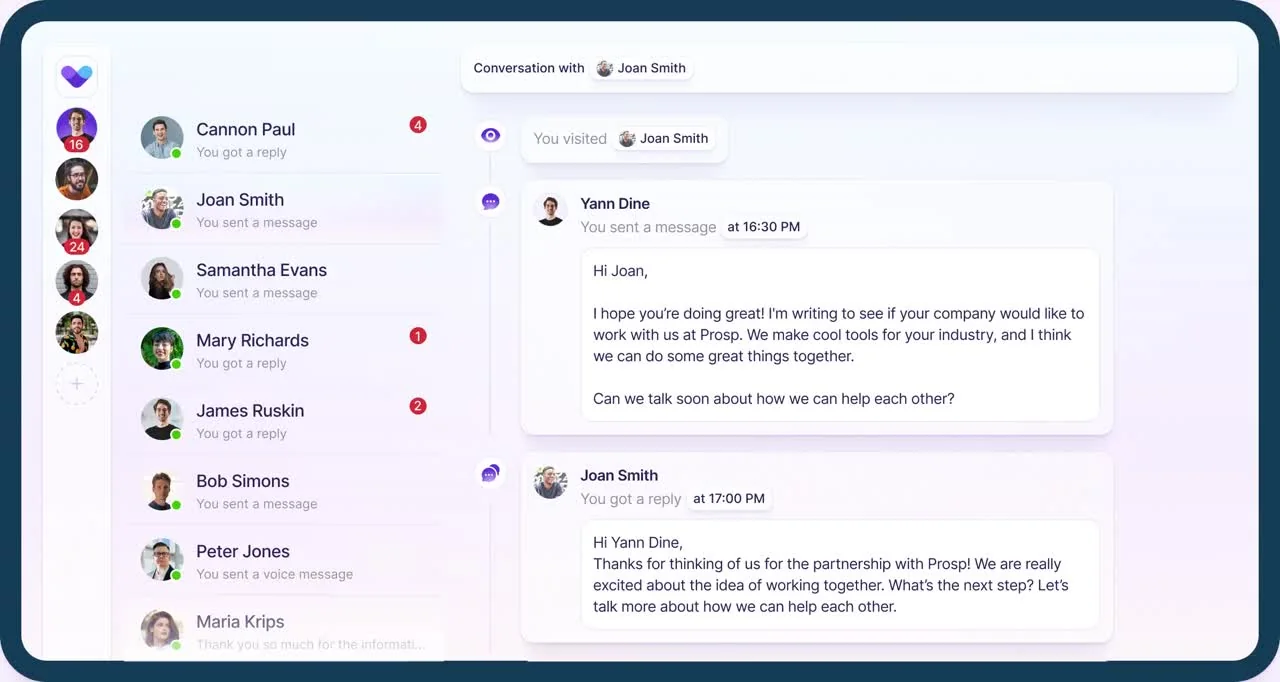
- Replies to Prosp campaigns land in one inbox for every account. PhantomBuster describes automations that export conversations, but no inbox for answering them.
How do Prosp and PhantomBuster compare, feature by feature?
| Feature | Prosp | PhantomBuster |
|---|---|---|
| Best for | Founders, sales teams and agencies who want personal, AI-written LinkedIn outreach with voice notes | Growth teams who mainly need to extract, enrich and move lead data, with some LinkedIn outreach |
| How you pay | Per connected LinkedIn account, with a lower rate per account at 6 and at 31 accounts | Flat per workspace, shared by all members, with limits on run hours, automation slots and credits |
| Entry price, billed monthly | $79.99 per account per month | $69 per workspace per month (Start) |
| Entry price, billed annually | $61.99 per account per month | $56 per workspace per month (Start) |
| Free trial | Yes. 14 days | Yes. 14 days, no card, with small usage caps |
| Free plan | No. No free plan | Yes. Free plan with 30 minutes of run time a month |
| Where it runs | Yes. Cloud, so nothing runs on your computer | Yes. Cloud |
| Channels | LinkedIn only: connection requests, messages, InMail, profile visits, likes and comments | LinkedIn and other social platforms through automations and workflows, with no email sending described |
| AI-written messages | Yes. Writes each message from the prospect's profile and recent activity | Yes. AI message writer automations, using the AI credits included in each plan |
| Voice notes in sequences | Yes. A different voice note for each lead, written from AI prompts and contact variables | Not stated |
| Voice cloning | Yes. Speaks every note in your own voice, cloned from a 30-second recording | Not stated |
| Unified inbox | Yes. One inbox for every connected account, reply from any account | Partly. Inbox scrapers export conversations, with no reply inbox described |
| Multiple LinkedIn accounts | Yes. Unlimited accounts, team members and client workspaces, with account rotation | Yes. Up to 100 LinkedIn accounts per workspace |
| Dedicated proxy or IP included | Yes. Dedicated residential proxy for every account, and new accounts ramp up over 14 days | Partly. Optional hosted proxies in five locations |
| Lead sourcing built in | Yes. LinkedIn and Sales Navigator search, post likers and commenters, your own network, CSV upload | Yes. Over 100 automations that extract data from LinkedIn and 15 or more platforms |
| Email finder | No. Not included in the plans | Yes. Email credits on every plan |
| White label | Yes. White label portal with your brand, logo and domain for agencies | Not stated |
| API and webhooks | Yes. REST API and webhooks, plus Zapier and Make | Yes. API and webhooks on all plans |
| MCP server for AI agents | Yes. MCP server, so Claude or ChatGPT can run campaigns | Yes. MCP server on all plans |
| A/B testing | Partly. Not on the published plans | Not stated |
A month is 4 weeks, so there are 13 billing months in a year.
How much do Prosp and PhantomBuster cost?
Prosp's prices cover a 4-week month, so a Prosp year has 13 payments. PhantomBuster prices the whole workspace rather than each account, so which costs less depends on how much automation you run, not on how many accounts you connect.
Prosp pricing
| Plan | Billed monthly | Billed annually | What it includes |
|---|---|---|---|
| Starter, 1 to 5 accounts | $79.99 per account per month | $61.99 per account per month | The full product with standard support and a 1:1 outbound specialist session every 12 weeks. Quarterly billing is $69.99 per account per month. |
| Agency, 6 to 30 accounts | $59.99 per account per month | $45.99 per account per month | Everything in Starter, plus a dedicated Slack channel, white glove onboarding and a monthly specialist session. Quarterly billing is $52.99 per account per month. |
| Scale, 31 or more accounts | $39.99 per account per month | $30.99 per account per month | Everything in Agency, plus a named success manager. Quarterly billing is $34.99 per account per month. |
These are Prosp's current list rates, from prosp.ai/pricing.
PhantomBuster pricing
| Plan | Billed monthly | Billed annually | What it includes |
|---|---|---|---|
| Start | $69 per month | $56 per month | 5 automation slots, 20 hours of run time a month, 500 email credits and 10,000 AI credits. |
| Grow | $159 per month | $128 per month | 15 automation slots, 80 hours of run time a month, 2,500 email credits and priority support. |
| Scale | $439 per month | $352 per month | 50 automation slots, 300 hours of run time a month and 10,000 email credits. |
PhantomBuster prices by workspace, not by user or LinkedIn account. When run hours are used up, automations pause until the next reset. Pricing as of November 19, 2026, from phantombuster.com/pricing.
When is PhantomBuster the better choice?
PhantomBuster is the better tool for data. It extracts and refreshes lead data from LinkedIn and many other platforms, includes email credits for enrichment, and connects natively to HubSpot, Salesforce, Pipedrive and Clay.
One workspace price covers the whole team and up to 100 LinkedIn accounts, and the free plan keeps going after the trial with 30 minutes of run time a month.
- You mainly need to extract, enrich or refresh lead data.
- Your prospects live on platforms beyond LinkedIn.
- You want one price for a whole workspace of up to 100 LinkedIn accounts.
When is Prosp the better choice?
Prosp is the better tool once the list exists and you need people to answer. It drafts each message from the prospect's profile and posts, adds a voice note in your own voice, and puts every reply from every account in one place.
You pay per account with no run hours to watch, every account has its own residential proxy, and each plan includes 1:1 sessions with an outbound specialist.
- Your goal is replies and booked calls from LinkedIn.
- You want one inbox to answer leads from every account.
- You'd prefer a price that doesn't depend on run hours or credits.
How do you switch from PhantomBuster to Prosp?
- Export the lists you built in PhantomBuster as CSV files with LinkedIn profile URLs.
- Stop any PhantomBuster outreach automations that use the account you're moving.
- Connect that account to Prosp and upload the CSV, or paste a LinkedIn or Sales Navigator search link.
- Write a sequence with AI-drafted messages and a voice note step, and launch a small campaign first.
- Keep PhantomBuster for extraction if it's useful, and send its exports to Prosp for the outreach. Our guide to staying unrestricted on LinkedIn covers safe daily volume.
What Prosp customers say




 Prosp
300+ agencies
& sales teams


More questions about Prosp and PhantomBuster
Is PhantomBuster a LinkedIn automation tool?
PhantomBuster is only partly a LinkedIn automation tool. It calls itself a data extraction and automation platform, and LinkedIn connection requests and messages are among its automations. Prosp concentrates on LinkedIn outreach, with AI-written messages and voice notes, plus an inbox for the replies.
Can PhantomBuster and Prosp work together?
Yes, the two fit together well. Extract and enrich a list in PhantomBuster, export it as a CSV file and upload it to Prosp to run the outreach. Just don't run outreach from both tools on the same LinkedIn account at the same time.
Does PhantomBuster have a free plan?
PhantomBuster does have a free plan. After its 14-day trial, it moves you to a free plan with one automation slot and 30 minutes of run time a month. Prosp has a 14-day free trial and no free plan. Thirty minutes of run time a month suits a quick test rather than a campaign that runs every day.
Try Prosp on your own LinkedIn account
Run one campaign for 14 days and judge it by the replies you get.
Start your free trialSources
Prosp publishes this page. If a price or feature here is out of date, email contact@prosp.aiand we’ll correct it.
- Prosp: Prosp pricing and plan comparison
- Prosp: Prosp help center: sequence actions and conditions
- Prosp: Prosp help center: AI voice cloner and personalized voice notes
- Prosp: Prosp help center: personalize messages with AI prompts
- Prosp: Prosp for agencies: white label, warm-up and client workspaces
- Prosp: Prosp MCP server
- PhantomBuster: PhantomBuster pricing
- PhantomBuster: PhantomBuster help center: what each plan includes
- PhantomBuster: PhantomBuster help center: what you can automate
- PhantomBuster: PhantomBuster help center: LinkedIn Outreach automation