5/5 on Capterra · 800+ agencies and sales teams

The Prosp MCP Server: Claude Runs Your LinkedIn Outreach

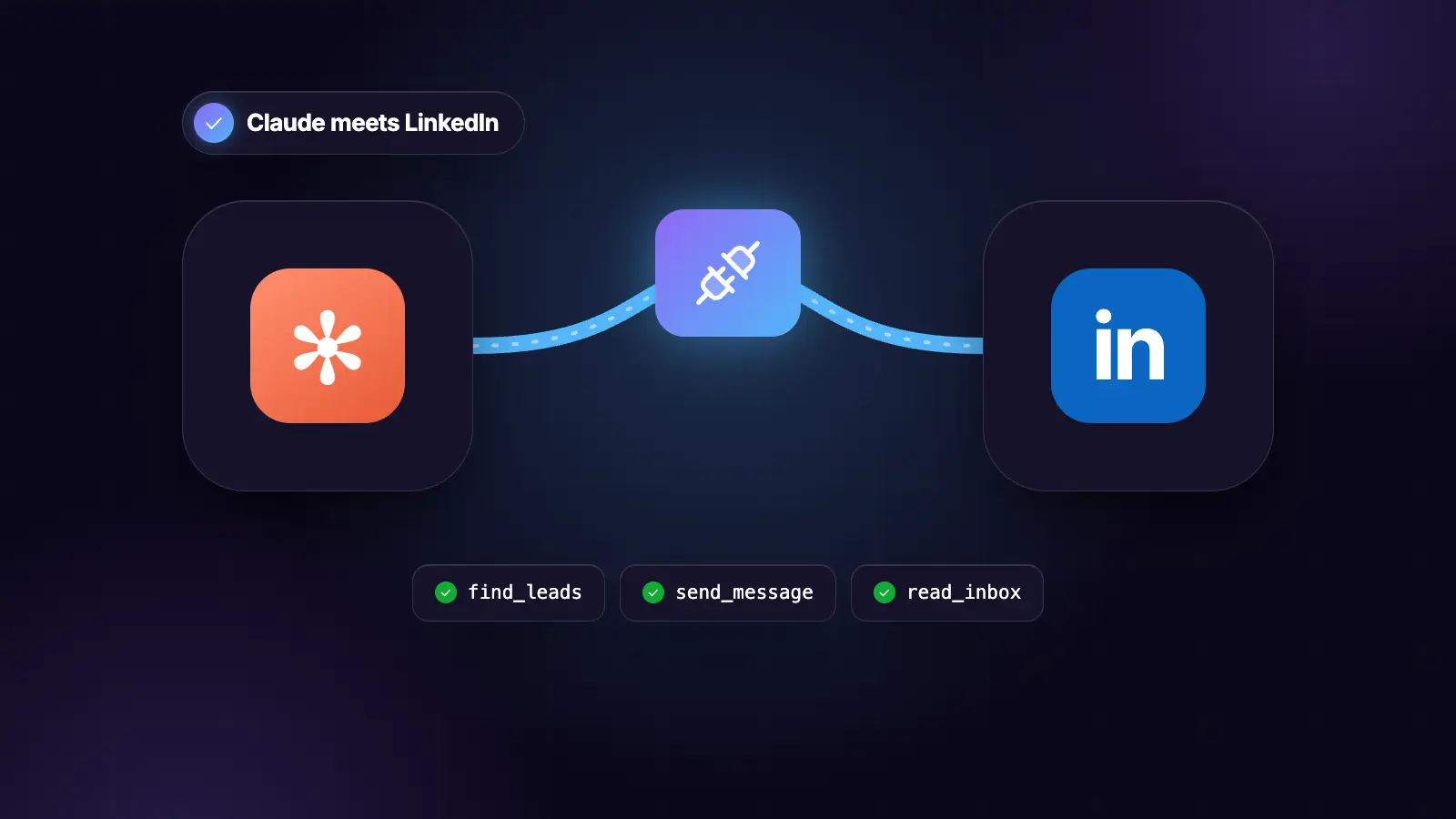
The MCP server that lets Claude run LinkedIn outreach, without driving a browser at your account.

14 days free · Set up in 5 minutes · Cancel anytime
See how the outreach gets sent, in 2 minutes

New to LinkedIn outreach automation? Tools like Prosp find prospects, message each one in your voice, follow up and bring replies to one inbox. This playbook is from the Prosp team.

See how it works →

The MCP server that lets Claude run LinkedIn outreach, without driving a browser at your account.

Most LinkedIn MCP servers control a real browser session. They work, and their own documentation admits accounts using them can be restricted. This one wraps an API instead, so the session, the proxy and the pacing are handled by infrastructure built for it.

Inside: the four-step install, all 22 tools with what each is for, the prompts that actually get work done, and the safety rails that stop an agent running away with a live account.

Open source, Apache 2.0.

AI Driven, Personalized Outreach on LinkedIn: Prosp 💜

Section 1

Install It: Four Steps, Five Minutes

Four steps, about five minutes.

github.com/JackJProsp/prosp-mcp-server

Step 1: get an API key

In Prosp, go to Settings, then API, and create a key.

If you have not connected a LinkedIn account yet, do that first. The MCP controls accounts; it does not create them. Three routes in: credentials plus the free dedicated residential proxy, Chrome extension session transfer, or a manual session cookie.

Free trial, 14 days, no card.

Step 2: install the server

Claude Code, one line:

claude mcp add prosp -- uvx prosp-mcp-server@latest

Then set the key:

export PROSP_API_KEY=your_key_here

Claude Desktop, or any MCP client:

{
  "mcpServers": {
    "prosp": {
      "command": "uvx",
      "args": ["prosp-mcp-server@latest"],
      "env": {
        "PROSP_API_KEY": "your_key_here"
      }
    }
  }
}

You need uv installed. If you do not have it:

curl -LsSf https://astral.sh/uv/install.sh | sh

Step 3: check it before wiring anything up

uvx prosp-mcp-server@latest --check

That verifies the key and prints your connected accounts. It sends nothing.

You should see something like:

Connected to https://prosp.ai/api/v1
2 account(s):
  Jack J  [connected]
  Acme Sales  [connected]

If it fails, the message tells you which of three things is wrong: the key is rotated, the key lacks permission for that workspace, or the API is unreachable. It does not fail silently.

Step 4: start in read-only

The first session on a live account should not be able to send anything.

PROSP_READ_ONLY=true

Or pass --read-only. Every write tool refuses while every read tool keeps working, so you can explore lists, campaigns and stats without any possibility of a message going out.

Run a few reads, check the numbers match what you see in the Prosp interface, then turn it off.

Do this every time you point an agent at a client account for the first time. It costs one environment variable and it removes the only category of mistake that matters.

Why this is not a scraper

Worth understanding before you use it, because it is the whole design decision.

Most LinkedIn MCP servers drive a real browser session on your own account. They work. Their own documentation is honest that accounts using automated tools can be restricted, because the activity comes from an unusual environment at machine pace from an IP with no history.

This one wraps the Prosp API. Prosp already holds the session, runs a dedicated residential proxy per connected account, and paces activity under the platform's thresholds. The MCP is a control surface over infrastructure built for the job.

Two consequences, stated plainly:

You need a Prosp account. The server does nothing on its own.

Nothing here bypasses a rate limit. It refuses volumes above the configured budget rather than finding a way around them. That is a feature, not a gap.

Section 2

The 22 Tools, and What Each Is For

22 tools across six areas. Read tools are safe to run at any time. Write tools that reach a real person need an explicit confirm.

Accounts, 3 tools

Tool What it does
list_accounts Every connected LinkedIn account, with status
get_account_budget Daily send budget left, across all campaigns
get_account_health Connection status, caps, and combined campaign volume

Run get_account_budget before proposing any volume. It is the number that governs every sending decision, and it is per account rather than per campaign.

get_account_health reports one field most people never check: the combined daily volume every active campaign on that account is configured to send. An account with three campaigns at 20 each is set up to attempt 60 a day, even though each campaign looks reasonable on its own.

Lists, 7 tools

Tool What it does
list_lead_lists Lists in the workspace
get_lead_list One list, with the breakdown by lead state
create_lead_list Create an empty list
import_from_post Commenters and likers from any post URL
import_from_search Leads from a search or Sales Navigator URL
import_leads Structured import, with custom variables
set_lead_state Blacklist, duplicate, or reset to not contacted

import_from_post is the one to use first. Someone who commented on a post about the exact problem you solve has done something. Someone matching a search filter has not.

It takes include_future_reactions, which keeps the import open so engagement arriving days later is pulled in without anyone touching it. Leave it on for a post that is still travelling.

import_leads accepts custom variables. Any key beyond linkedin_url becomes a variable usable in message prompts, so a signal recorded during research travels with the lead into the copy:

{
  "linkedin_url": "...",
  "first_name": "Sarah",
  "signal": "hiring a RevOps lead, posted 14 Mar",
  "signal_url": "...",
  "tier": "1"
}

get_lead_list returns the state breakdown, which is the diagnostic most people skip. A large Not Accepted count relative to Contacted points at the connection note or the list quality, not the sequence.

Leads, 3 tools

Tool What it does
get_lead One lead, with custom variables and campaign membership
search_leads Filter a list by state or tag
add_tag Tag by signal type and campaign

search_leads with state="replied" is the fastest way to find everyone worth a human reply today.

search_leads with state="not_accepted" after 14 days tells you whether the connection note is working, because that state only fills up when requests expire.

add_tag is what makes attribution possible. Tag by signal type rather than channel. The question worth being able to answer at month end is which trigger produced the booked meetings, and that is unanswerable without this field.

Campaigns, 6 tools

Tool What it does
list_campaigns Campaigns, filterable by account or status
get_campaign One campaign, with its node sequence
get_campaign_stats Sent, accepted, messaged, replied
create_campaign Build from a node list. Starts paused.
set_campaign_status Start, pause, archive
set_daily_limits Change the per-campaign caps

create_campaign never starts anything. It builds the campaign paused, so you review the sequence before a single request goes out. Starting is a separate call that needs confirmation.

The node shape:

Actions      connection_request, message, voice_note, inmail,
             open_profile_message, comment_last_post,
             reply_comment, like_last_post, visit_profile,
             wait, add_tag

Conditions   has_linkedin_url, is_first_level, opened_message,
             is_open_profile, check_column

The standard five-node shape:

1  Condition: is_first_level
2  YES branch: message
3  NO branch: connection_request, then message on acceptance
4  Wait 3 days, follow-up on a different angle
5  add_tag

get_campaign_stats returns figures no CRM holds: requests sent and accepted, messages sent, replies received. Those are the inputs to the diagnostic.

Replies, 4 tools

Tool What it does
get_inbox Unified inbox across every connected account
get_conversation One full thread with lead and campaign context
send_reply Send. Requires confirm=true.
mark_read Clear from the queue without replying

Leave account_id empty on get_inbox and you get every account in one queue. That is what makes a daily reply pass one task for an agency running eight client accounts rather than eight logins.

send_reply lints the draft and returns warnings for anything over 300 characters, more than one question, a burnt opener, or an em dash. The send still goes through; the warnings come back with it so you see what you shipped.

Reporting, 3 tools

Tool What it does
get_workspace_stats Figures across every account, for a date range
diagnose_campaign The chain, stopped at the first failure
signal_attribution Which signal type produced the booked meetings

diagnose_campaign is the one to run weekly. It works the chain in order and stops at the first failure, rather than returning five stages of numbers when the first is broken.

1  Acceptance below 15%        the note, or the list. NOT the sequence.
2  Acceptance fine,
   replies below 10%           the first message.
3  Replies fine, meetings low  the ask is mistimed, or the offer is wrong.
4  Meetings fine,
   nothing closing             not outreach. Price or fit.
5  All fine, volume low        the daily cap split across campaigns.

If meeting data is missing it says so rather than guessing, because a diagnosis on partial data points at the wrong stage.

signal_attribution produces one line and it is the most useful line in any monthly report. It only works if leads were tagged at import. If the output is empty, that is the finding.

Section 3

The Prompts: What To Actually Ask It

The tools are the surface. These are the things worth actually asking it.

Paste them straight in. Each one assumes the server is installed and the key is set.

The first session

Run with PROSP_READ_ONLY=true the first time.

Show me every LinkedIn account connected to this workspace, with
its status and how much daily send budget is left on each.

Then for each account, tell me how many campaigns are active and
what combined daily volume those campaigns are configured to send.

Flag any account where the combined volume exceeds 20 connection
requests a day.

That last line is the check nobody runs. Three campaigns at 20 each looks reasonable per campaign and is a restricted account waiting to happen.

Building a list from a post

Create a lead list called "q1-founders-pricing-post".

Import the commenters and likers from this post:
[PASTE POST URL]

Turn on future reactions so it keeps pulling as the post runs.

Then show me the list: how many leads, and the breakdown by state.
Tell me how many are already first degree, because that changes
the campaign shape rather than the quality.

Why the name matters. "q1-founders-pricing-post" is answerable in three months. "LinkedIn leads" is not, and you will not remember which post it came from.

Scoring before you send

Pull the leads from list [ID].

Score each one depth times fit, each 1 to 3, multiplied:

DEPTH  1 reaction only
       2 short comment
       3 substantive comment, or engaged more than once

FIT    1 adjacent to my ICP
       2 right role wrong company, or the reverse
       3 exact match

Sort descending and tag each lead with its score.

Then tell me: at 20 connection requests a day, how many weeks does
this list represent, and how many of them score 6 or above?

The last question is the point. At 20 a day, a 400-row list is five weeks of your entire send budget. The order you work it in decides the quarter, not the size of the list.

Building the campaign

Build a campaign on account [ID] from list [ID].

Five nodes:
1  Condition: is the lead first degree
2  YES: message, using the signal variable in line one
3  NO: connection request with a note, then message on acceptance
4  Wait 3 days, follow-up on a different angle
5  Add a tag

Start it at 10 connection requests a day, not 20. This account is
new and a profile with no sending history suddenly running at full
rate is the clearest possible pattern.

Before you create it, show me the full sequence and every message
in it. Do not create anything until I have read it.

It starts paused regardless. create_campaign never launches anything, so even if the model got ahead of itself nothing goes out until a second, separate call.

It also lints the sequence and warns if there is a wait node after the connection request, if there are more than four touches, or if a voice note is sent alone.

The daily reply pass

Show me every unread reply across all connected accounts.

Classify each into exactly one of: interested, timing, objection,
wrong person, not interested, auto reply, escalate.

Give me the confidence 1 to 10 and the sentence that decided it.
Anything below 8, escalate to me rather than guessing.

For the interested ones, draft a reply. Match their register:
length within 20% of theirs, same punctuation and formality. One
question only.

Do not send anything. Show me the drafts.

Then, for each one you approve:

Send the reply to conversation [ID]. confirm=true

The confirm flag is required in code, so the decision to send is visible in the tool call rather than buried in the model's reasoning.

The weekly diagnostic

Run the diagnostic on campaign [ID].

Work the chain in order and stop at the first failure. Do not
report five stages of numbers when the first one is broken.

Give me the failing stage, the evidence, and ONE change.

If any figure is missing, say which stage cannot be assessed
rather than guessing at it.

One change a week. Change three things and a lift tells you nothing about which one worked, which is the difference between a system and a habit.

Monthly, the one question that matters:

Which signal type produced the booked meetings this month?

That single line changes next month's targeting more than anything else in any report, and it is the one most likely to be skipped because it produces a sentence rather than a dashboard.

The whole motion, as one brief

Once you trust it, this runs end to end with two stops.

Take ownership of this from start to finish.

GOAL: a launch-ready campaign on account [ID], built from the
engagers on this post: [URL]

1  Check the account budget first. Tell me the headroom.
2  Create the list and import commenters and likers, future
   reactions on.
3  Score depth times fit. Sort descending.
4  STOP. Show me the list, the score distribution, and how many
   weeks of send budget it represents. Wait for me.
5  Write the connection note and the opener. Under 200 and under
   300 characters. Line one references the signal specifically
   and it must be dated.
6  Build the five-node sequence at 10 a day.
7  STOP. Show me every message before anything is created.

Hard rules:
- Never propose a volume above the account budget.
- Never invent a number or a client name.
- Nothing starts. I press the button.

Two stops, not six. The list and the copy are the only two decisions worth interrupting for. Everything between them is reversible.

Section 4

The Safety Rails, and Why They Are In Code

Every rail lives in one file, guards.py, and is checked in code.

That matters more than it sounds. A rule in a prompt is a request. A rule in code is a rule, and a model cannot talk the server out of it.

Writes need an explicit confirm

Anything that reaches a real person takes confirm=true.

This would send a message in conversation abc123 to a real person.
Re-run with confirm=true once the user has agreed. Show them what
will be sent, to how many people, and at what daily rate, before
asking.

Why a flag rather than a prompt instruction. The decision to send becomes visible in the tool call itself. You can see it in the transcript, rather than having to trust that the model weighed it internally.

Volumes above the budget are refused

Not warned about. Refused.

A daily volume of 60 connection requests exceeds the configured
budget of 20. That budget is ACCOUNT-WIDE, not per campaign:
three campaigns at 20 each means the account attempts 60 a day,
which is how accounts get restricted.

Split the volume across campaigns so the total stays at or below
20, or raise PROSP_DAILY_CONNECTION_BUDGET deliberately if this
account has Sales Navigator and an established sending history.

The message does the teaching. It does not just say no, it explains the account-wide rule and states the required split. A model reading that refusal comes back with a correct proposal rather than trying again.

Raising it is possible and deliberate. One environment variable, changed by a person who understands why.

Campaigns start paused

create_campaign never launches anything. It sets the status to paused and returns:

Created paused. Review the sequence, then call set_campaign_status
to start it.

Starting is a separate call that needs confirm=true.

Two barriers rather than one, because campaign creation is the step where a mistake is most expensive and least visible. A wrong sequence built and launched in one call is 20 bad first impressions before anyone notices.

Read-only mode

PROSP_READ_ONLY=true

Every write refuses. Every read keeps working.

Use it the first time an agent is pointed at a live client account. You get the full picture of lists, campaigns and stats with no possibility of anything going out.

It is also the right setting for a reporting-only session. If all you want is the weekly diagnostic, there is no reason for the write tools to be available at all.

Sequence linting

create_campaign checks the node list and warns on the three mistakes that cost most. Warnings, not refusals: the sequence is the author's call.

A wait node after a connection request. Acceptance auto-detects over two weeks, checking every 24 hours with a random delay. A wait node there does nothing except delay the sequence by days. It is the most common unnecessary node people add.

More than four touches. After four the answer is no, and a fifth costs more in reputation than it returns in replies.

A voice note sent alone. They perform well but should never arrive unaccompanied by a written message.

Message linting

send_reply checks the draft and returns warnings alongside the result.

Over 300 characters      reads as a template regardless of quality
More than one question   one gets answered, two gets the easier
                         one, three gets nothing
A burnt opener           "I came across your profile", "I help X
                         with Y", "are you open to a quick chat",
                         "quick question for you", "I hope this
                         finds you well", "just reaching out"
An em or en dash         house style is neither

The send still goes through. You asked for it and confirmed it. But the warnings come back with the result, so you see what you shipped rather than finding out from the reply rate.

Batch caps

200 leads per call by default.

500 leads in one call exceeds the limit of 200. Split it into
batches. Importing is cheap; the constraint is the daily send
budget, not the import.

That last sentence is the thing worth internalising. Import broad, send narrow. Importing 2,000 leads costs nothing. Sending to them is five months.

Every setting

Variable Default What it does
PROSP_API_KEY required Your API key
PROSP_READ_ONLY false Block every write tool
PROSP_DAILY_CONNECTION_BUDGET 20 Refuse volumes above this
PROSP_DAILY_MESSAGE_BUDGET 20 Refuse volumes above this
PROSP_MAX_LEADS_PER_CALL 200 Batch size cap
PROSP_TIMEOUT 30 Request timeout in seconds
PROSP_LOG_LEVEL WARNING DEBUG, INFO, WARNING, ERROR

CLI flags: --transport, --host, --port, --path, --read-only, --check.

Fork it

Apache 2.0. Building on it is welcome, including under a different licence, provided the attribution in NOTICE travels with what you ship.

git clone https://github.com/JackJProsp/prosp-mcp-server
cd prosp-mcp-server
uv sync --extra dev
uv run pytest

The guards and the diagnostic are pure functions with their own tests, so they are the easiest place to change behaviour without breaking anything else.

The thing worth copying even if you build something unrelated: put the rate limit in the server rather than the prompt. A set of tools that each independently respect a 20 a day limit will happily send 80.

Claude decides. Prosp sends 💜

↳ Start a 14 Day Free Trial 💜 ↳ Watch Full Tutorial ▶️

Book more meetings from your LinkedIn

Prosp finds the right prospects, writes to each one in your voice, and runs your outreach safely from the cloud. You take the calls.

Set up in 5 minutes · Your LinkedIn stays safe · Cancel anytime