5/5 on Capterra · 800+ agencies and sales teams

The LinkedIn Outreach System for High Conversion

The outreach system built around where conversion is actually won, not where it is easiest to work.

14 days free · Set up in 5 minutes · Cancel anytime

The outreach system built around where conversion is actually won, not where it is easiest to work.

Acceptance, reply rate and meeting rate fail for different reasons. Most people tune the message when the list is the problem, and tune the list when the profile is the problem.

Inside: the conversion chain that tells you which stage is broken, twelve skills written out in full, two open-source skill kits you can install today, and the modules on the DM, competitor comment harvesting, and selling by chat.

Plus the shared daily cap, which is the constraint every one of these operates inside.

AI Driven, Personalized Outreach on LinkedIn: Prosp 💜

Section 1

The Conversion Chain: Which Stage Is Actually Broken

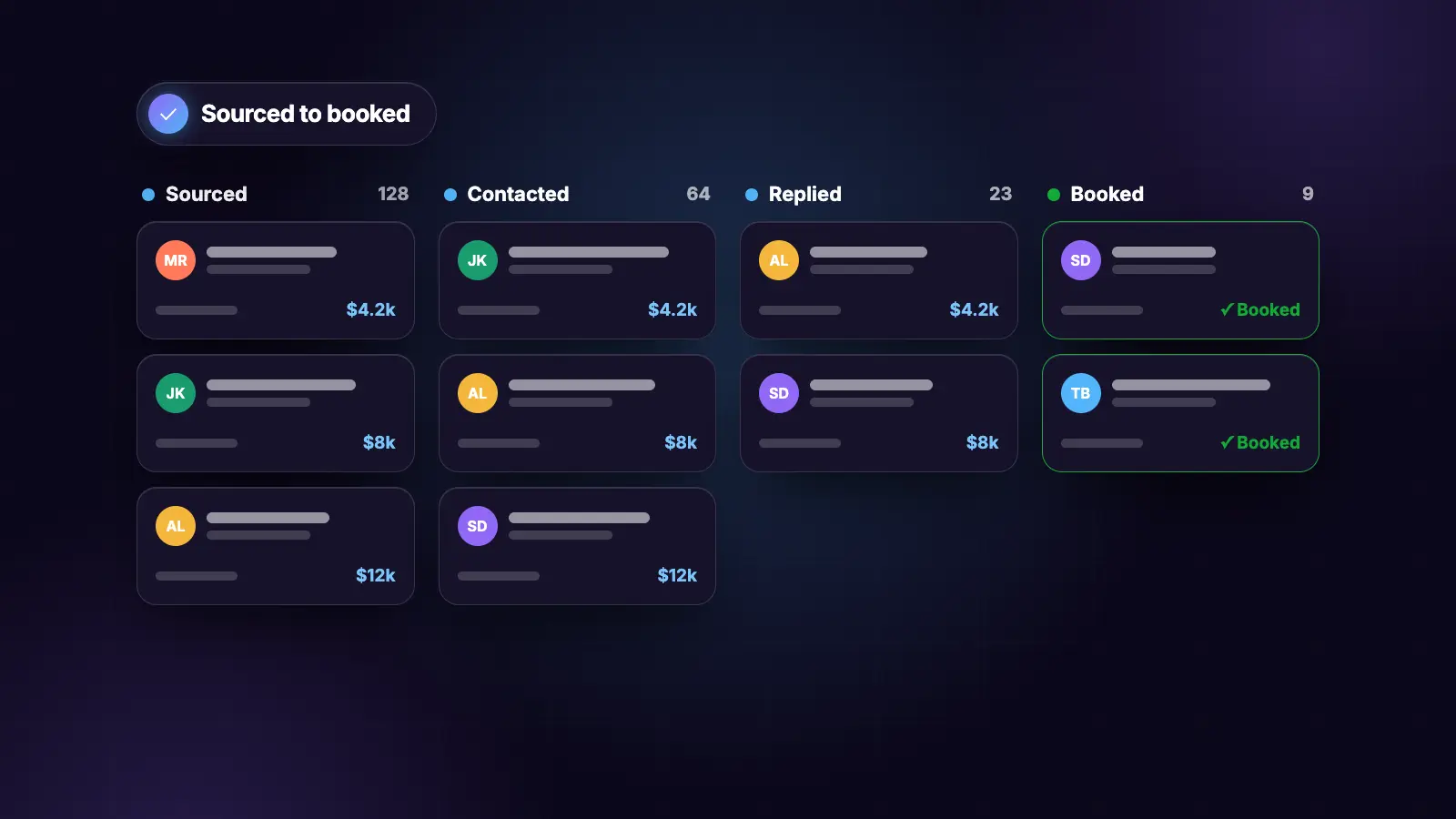
Five stages. Each fails for a different reason, and each has a different fix.

Work the chain in order and stop at the first failure. Reporting five stages of numbers when the first is broken is why most outreach reviews change nothing.

The chain

1 ACCEPTANCE BELOW 15%
  The connection note, or the list is off-ICP.
  NOT the sequence. Do not touch the sequence.

2 ACCEPTANCE FINE, REPLIES BELOW 10%
  The list is fine. The first message is the problem.

3 REPLIES FINE, MEETINGS LOW
  The ask is mistimed, or the offer is wrong.

4 MEETINGS FINE, NOTHING CLOSING
  Not an outreach problem. Price or fit.

5 ALL FINE, VOLUME LOW
  Not quality. The daily cap split across campaigns.

One change per week. Change three and a lift tells you nothing about which one worked.

If figures are incomplete, name which stage cannot be assessed. A diagnosis on partial data points at the wrong stage, which is worse than no diagnosis.

Stage 1: acceptance, and the check nobody runs

Five checks, in order. Stop at the first failure.

1  Is a note attached at all?
2  Is it specific, or could it go to anyone?
3  Does it contain an ask? A request is not the place for one.
4  Is the list actually the ICP, or a search that returned
   plausible-looking people?
5  IS THE PROFILE OPTIMISED?

Check five is the one people never run, because it is not in the outreach at all.

Every connection request drives a profile visit. The prospect reads the note, then looks at who sent it. A weak headline loses the accept there rather than in the message, and no amount of note-tuning fixes it.

The measurement that settles it: record acceptance for the two weeks before a profile rewrite and the two weeks after, on the same list quality. Nothing else changed, so the delta is clean.

Benchmarks. Below 15% means something is broken. 25% to 30% on a cold, signal-led list is healthy. Above 40% usually means the list is warm rather than cold, which is good but not comparable.

Stage 2: replies, and the seven checks

When acceptance is fine and replies are not, the message is the problem. Sample twenty sent messages and count which checks each one failed.

[ ] Under 300 characters
[ ] One question only
[ ] References something specific and DATED, not a category
[ ] No banned opener
[ ] No claim absent from the approved proof list
[ ] Register matches how the sender actually writes
[ ] No em dashes

Five of seven must pass. A message failing three will not be rescued by the follow-up.

The check that fails most is the third, and it fails in a specific way. "I saw you work in SaaS" is a category. "Saw the RevOps role you posted on the 14th" is a signal. The first is what a template produces and the second is what gets a reply.

The banned openers, burnt:

"I came across your profile"
"I help [vertical] with [service]"
"Are you open to a quick chat"
"Quick question for you"
"I hope this message finds you well"

Stage 3: the ask

Replies coming in and meetings not being booked is almost always timing, not wording.

Decide IF before HOW.

ASK NOW WHEN
- They asked something needing more than 400 characters to answer
- They named a problem you solve
- They asked about price, timeline or implementation
- Two substantive messages have gone each way

DO NOT ASK YET WHEN
- They replied with one line
- They have not named a problem
- It is still the first exchange

Ask one more question instead. One that gets them to name it.

The ask itself: name the length and the agenda. "15 minutes, three questions, no deck." Offer the link AND two concrete times, because some people book and some reply. Never "let me know what works", which is decision fatigue dressed as politeness.

Under 350 characters including the link.

Tag the moment a call is booked, so the sequence stops. A follow-up landing after someone has booked is the most avoidable bad impression in the system.

Where conversion is actually won

The uncomfortable version: most of the conversion is decided before any message is written.

Timing beats copy. Outbound works on two axes, fit and timing. Fit is the ICP. Timing is what happened this month that makes them more likely to act. Most teams score on fit alone, and a perfect message to someone with no reason to act now converts worse than an average message to someone hiring for the exact role.

Order beats volume. At 20 connection requests a day, a 400-row list is five weeks of the entire budget. Which twenty you contact on Monday decides the quarter.

The profile decides the accept. Everything upstream of the message. It is the cheapest fix in the whole system and the last one people try.

Warmth beats cleverness. A prospect who has seen your name on their own post before the request arrives accepts at a materially different rate from one who has not. Commenting is free; sends are not.

The weekly loop

MON  Run the chain. Stop at the first failure. ONE change.
MON  Engagement session, 25 minutes.

TUE  Build and grade the new list. Below B, rebuild.
TUE  Signal pass on what survives.

WED  Top up the campaign, within the daily split.

THU  Reply pass. Classify, draft, send yourself.

FRI  Log what changed and what it produced.

MONTHLY  Which signal tier produced the booked meetings?

The monthly question is the highest-value line in any report and the one most likely to be skipped, because it produces one sentence rather than a dashboard.

Section 2

The Skill Kits: Four Repos, One Shared Cap

Two open-source kits you can install today, plus the two Prosp repos.

Between them they cover signal detection, list building, enrichment, feed engagement and outreach.

Signal Prospecting Kit

github.com/julienamorgan/signal-prospecting-kit

Six Claude Code skills for signal-based B2B outbound. Free.

git clone https://github.com/julienamorgan/signal-prospecting-kit.git
cd signal-prospecting-kit
claude

The skills live in .claude/skills/, so Claude Code picks them up automatically. No install script, no restart.

For Claude Cowork or web: download the ZIP, unzip, open the skills/ folder, then go to Customize, then Skills, then the plus button, and drag the skill folders in. Toggle them on, start a new chat, type /start.

The six commands:

/start          Profile your company, ICP, and won deals
/profile        Research competitors and find white space
/signal-scout   Identify the buying signals that matter
/prospect       Find companies showing those signals now
/outreach       Draft personalised emails and LinkedIn messages
/push           Export to your CRM or a CSV

Two things worth knowing. You approve at every gate, and nothing moves forward without you. After each approval the next step starts automatically, so there are no commands to remember beyond the first.

And it works with zero tools connected. Web research handles everything, pattern-guessing emails from public sources and falling back to LinkedIn connection requests when no email is found.

The learning loop is the part worth using. After each batch, tell the system who replied. It tracks which signals, openers and CTAs performed, and by batch four it applies the patterns automatically. Most skill kits start from zero every time.

The framing it gets right: outbound works on fit and timing. Most teams score on fit alone. The ones that add timing reach prospects before competitors know there is an opportunity.

Claude Skills for LinkedIn

github.com/claude-dev-code/claude-skills-linkedin

Four skills, powered by the LinkupAPI MCP. Licence is private use only for now, so install and run it rather than forking it.

git clone https://github.com/claude-dev-code/claude-skills-linkedin /tmp/claude-skills-linkedin
cp -R /tmp/claude-skills-linkedin/linkedin-* ~/.claude/skills/

claude mcp add --transport http linkupapi https://mcp.linkupapi.com/mcp

Then run /mcp and follow the redirect to consent. Auth is OAuth, so there is no API key to manage.

For Claude Desktop or web: each skill is published as a zip on the latest release. Settings, then Skills, then Upload skill, and drop the zip in. For the MCP, go to Settings, then Connectors, then Add custom connector, with the URL https://mcp.linkupapi.com/mcp.

The four skills:

linkedin-outreach
  Define an ICP, find target companies, extract decision makers,
  filter false positives, send connection requests, optionally
  arm a webhook for accept-triggered messages. Eight stages,
  with intent-first ICP discovery and multi-account round-robin.

linkedin-high-intent
  Given a post URL, scrape commenters and reactors, filter on
  visible signal without enriching, enrich only the matches,
  score against the ICP, then launch outreach on confirmed
  matches.

linkedin-feed-engage
  Scroll the feed, find posts by ICP-matching profiles, generate
  value-adding two to three sentence comments, and post them
  with strict pacing.

linkedin-enrich
  Bulk URL enrichment: role, company, location, experience,
  skills, plus a professional email where findable. Dedupes
  against the last 30 days so you never re-pay for a lookup.

The high-intent skill is the one to run first. The note referencing a comment they left boosts accept rate substantially over cold, and it costs nothing extra to send.

The feed-engage skill is a warm-up, not a channel. The prospect sees your name on their post, then receives the invite. That ordering is the whole point.

The shared daily cap

The most important design decision in that repo, and the one to copy whatever you build.

Cap Limit per day What it gates
Connection requests 20 Invites
Profile gets 100 Enrichment and lookups
Searches 15 Profile searches
Comments 15 Feed engagement

The cap is shared across all four skills. Hitting it from any one carries over to the others.

Each skill queries the logs at stage zero to compute the remaining budget, then trims the campaign size or stops gracefully if the budget is exhausted.

That is the correct pattern. A set of skills that each respect a 20 a day limit independently will happily send 80.

Same-day duplicate work is deduped via the campaign and enrichment logs, so a profile is never invited, commented on or enriched twice.

The logs are the source of truth for accept-rate analysis 7 to 14 days after a campaign, which is what makes stage one of the conversion chain answerable at all.

The Prosp repos

# 24 skills, 12 outreach and 12 content, MIT
git clone https://github.com/JackJProsp/agency-linkedin-skills
cd agency-linkedin-skills
./install.sh

# 7 skills plus the MCP config for reading LinkedIn
git clone https://github.com/JackJProsp/claude-linkedin-connector
cd claude-linkedin-connector
./install.sh

The agency repo installs per-client folders, so one install serves a whole book of accounts without the outputs blurring together.

What to install, in order

Installing four kits at once produces a triggering collision problem you will spend a fortnight debugging.

WEEK 1  signal-prospecting-kit only. Run /start through /outreach
        once, end to end, on a real list. It writes the ICP and
        voice context the rest will read.

WEEK 2  claude-skills-linkedin, high-intent skill only.
        Run it against one post URL. Check the numbers against
        what you expected.

WEEK 3  feed-engage, as a warm-up ahead of week 4.

WEEK 4  The outreach skill, at 10 requests a day rather than 20.

The order matters because each one writes context the next reads. Running them in parallel from day one means four kits each building their own picture of your ICP.

The sending layer

These kits produce lists, copy and sequences. Where the sending itself runs matters more than the copy does, because the account is the asset.

Prosp is cloud-based, with a free dedicated residential proxy per connected account, so activity looks like it comes from you rather than from a datacentre. Nothing depends on a machine staying open.

It imports commenters and likers straight from any post URL including future reactions, which is the same input the high-intent skill uses, and runs the sequence with a lead is 1st level condition so first-degree contacts get messaged directly rather than sent a redundant request.

Connection requests auto-detect acceptance over two weeks, checking every 24 hours, so no wait node is needed after one. That is the most common unnecessary node people add.

Section 3

The 12 Skills, In Full

Twelve skills, written out in full. Save to .claude/skills/.

Each maps to a stage of the conversion chain, so when a stage fails you know which file to open.

01. signal-finder

---
name: signal-finder
description: Find a dated, verifiable reason to contact each lead
  now rather than later. Run after the list exists, before any
  copy. High effort.
---
ONE signal per lead, ranked by proximity to a budget decision.

TIER 1, budget is already moving
- Hiring for the role your offer replaces or supports
- Raised in the last 90 days
- New leader in post, last 60 days
- Publicly named the exact problem, last 30 days

TIER 2, the problem is visible
- Their site or content shows the specific gap
- Commented on a competitor's post
- Expanding into a new market or location
- Competitor of an existing customer

TIER 3, fit only, no observable trigger

RULES
Every signal VERIFIABLE and DATED. Record the date and the URL,
because it appears in the first message and they will check it.

No signal means write NONE.

Never stretch an attribute into a trigger. "Works at a SaaS
company" is fit, not intent, and using it as intent is the
clearest tell that a message was generated rather than written.

FAIL CLOSED on any signal you cannot date.

Add signal, tier, date and source_url columns.

TIER 1 VARIES BY BUYER. A funding round moves a VC-backed company
and means nothing to a bootstrapped one. Check the signal against
the company before ranking it.

02. job-post-trigger

---
name: job-post-trigger
description: Build a list from hiring signals. The strongest budget
  signal available and the least worked.
---
SEARCH job boards for companies hiring the role your offer
replaces or supports, within the ICP.

CAPTURE per row:
- The exact line in the posting that reveals the manual work or
  the gap. VERBATIM, in quotation marks.
- The posting date
- The hiring manager, who is usually the buyer
- Company size and whether it fits the price band

DROP anything older than 45 days. Either it is filled or the
budget moved.

WHY THIS IS THE STRONGEST SIGNAL
A company posting for the role has budget allocated and an unmet
need at the same time. Those two rarely coincide this visibly.

THE QUOTE IS LOAD-BEARING. The opener quotes the posting directly.
Paraphrasing loses the whole effect, because the point is that you
read their actual posting rather than a category.

03. post-engager-harvest

---
name: post-engager-harvest
description: Build a list from people engaging with relevant posts.
  The highest-intent cold source there is.
---
SOURCES, strongest first:
1. Commenters on a post about the problem you solve
2. Likers on the same post
3. Commenters on a competitor's post
4. Event attendees
5. Group members

CAPTURE THE POST TOPIC per lead, not just the lead.

Someone who commented on a pricing post gets a different opener
from someone who commented on an onboarding post. Without that
column every message is the same message and the source advantage
disappears.

PER ROW: name, headline, company, linkedin_url, post_url, post
topic, comment type (substantive / short / reaction only), date.

RE-HARVEST WEEKLY. A post that performs for three weeks keeps
gathering commenters. Tag by harvest date so you can separate
early commenters from late ones. Early ones convert better.

NEVER name the post author or the competitor in any message.

04. fit-filter

---
name: fit-filter
description: Filter the raw list before any enrichment. Run on the
  cheapest model at the lowest effort.
---
Per row, exactly one of KEEP, DROP or UNSURE, with a reason of 12
words maximum.

KEEP    Matches the title band and the size band
DROP    Fails either, hits a disqualifier, is a competitor, or is
        too small for the price band
UNSURE  Ambiguous headline. Do not guess.

KEEP and UNSURE to filtered.csv.
DROP to dropped.csv, so the filter is auditable later.

Report the drop rate. Below 40% usually means the search was too
narrow rather than the list being unusually good.

ENRICH NOTHING before this step. Enrichment is priced per lookup
and most of a raw list was never going to buy.

WHY CHEAPEST MODEL: this touches every row, so it is the
highest-volume call in the system and has the least reasoning in
it. Running it at high effort is where the cost goes.

05. list-grader

---
name: list-grader
description: Grade the filtered list A to F. The gate. Nothing
  sends below B. Max effort.
---
EIGHT DIMENSIONS, 1 to 10:
1  ICP fit
2  Title accuracy: decision makers or influencers
3  Affordability against the price band
4  Data completeness
5  Deduplication, within the list and against active campaigns
6  Recency of activity
7  Reachability: how many are already 1st degree
8  Signal strength: how many carry a tier 1 or 2 trigger

A 9.0+  B 7.5+  C 6.0+  D 4.5+  F below

FAIL CLOSED below B. Name the two lowest dimensions and the fix
for each. Do not pass a failing list downstream.

DIMENSION 7 changes the campaign SHAPE, not the quality. Mostly
1st degree can be messaged directly. Mostly cold needs connection
requests first, which is a different daily budget entirely.

DIMENSION 8 predicts reply rate better than any other. A B-grade
list where most rows carry a tier 1 signal beats an A-grade list
with none.

An F grade usually means the offer is too broad, not that the
list is bad.

06. engager-scorer

---
name: engager-scorer
description: Score the list so the send budget goes in the right
  order. Cheapest model.
---
DEPTH x FIT, each 1 to 3, multiplied. Maximum 9.

DEPTH
1  Reaction only, or no engagement
2  Short comment, or one visible signal
3  Substantive comment, or engaged more than once, or a tier 1
   signal

FIT
1  Adjacent to the ICP
2  Right role wrong company, or the reverse
3  Exact match

6 to 9  contact this week
3 to 5  hold, watch for a second signal
1 to 2  no outreach

Sort descending. THIS ORDER IS THE CAMPAIGN.

At 20 connection requests a day, account-wide, a 400-row list is
five weeks of the entire budget. The order decides the quarter,
not the size.

OUTPUT the count per band and how many weeks of budget the top
band represents.

07. profile-optimizer

---
name: profile-optimizer
description: Audit and rewrite the profile. Run before any sending,
  because every request drives a profile visit.
---
NINE CHECKS, each PASS, WEAK or FAIL with one line of evidence:
proof, empty adjectives, clarity of what they do, gaps, call to
action, visual consistency, mobile readability, searchability,
contact hygiene.

THEN REWRITE:

HEADLINE, three options, character-counted, each flagged for where
it truncates at around 60 characters on mobile. Never
job-title-at-company.

ABOUT, four movements, first person:
1 The hook. The buyer's problem, not the person's history.
2 The problem they solve, in the buyer's words.
3 Proof. An approved number with a timeframe.
4 One CTA.
Keywords in the first two lines, before the See More cut.

FEATURED: mandatory, not optional. Pin what the buyer needs before
a call.

EXPERIENCE: action plus method plus measurable outcome per role.

SKILLS: cut generic filler, merge into 10 to 15 clusters matching
the search terms from check 8.

RULES
Critique the positioning, never the person. Never comment on
appearance, age or anything unrelated to the work.

Never invent a metric. Ask for one or leave the gap.

MEASURE IT: acceptance for the two weeks before and after, on the
same list quality. Nothing else changed, so the delta is clean.

08. connection-note-writer

---
name: connection-note-writer
description: Write the note that decides acceptance. Under 200
  characters.
---
THE NOTE IS NOT THE MESSAGE. It has one job: get the accept.

STRUCTURE
One line naming the specific, dated thing you saw.
One line on why that made you reach out.
No ask.

RULES
- Under 200 characters.
- NO ASK. A connection request is not the place for one. The ask
  halves acceptance and the accept costs you nothing.
- Specific and dated. "Saw your comment on the pricing thread
  last Tuesday" beats "loved your content".
- Never mention the product.
- No compliments about the person. Compliment the specific thing,
  or nothing.
- No em dashes.

IF THERE IS NO SIGNAL, send no note. A blank request outperforms a
generic one, because a generic note tells them you have a list.

ACCEPTANCE BELOW 15% MEANS THIS FILE, or the list. Not the
sequence.

09. opener-writer

---
name: opener-writer
description: Write the first message after acceptance.
---
STRUCTURE
Line 1  the signal, dated and specific
Line 2  the inference you drew from it
Line 3  the question

RULES
- Under 300 characters.
- Line one references the signal SPECIFICALLY, not its category.
- One ask, answerable in under ten words.
- Never mention the product in message one.
- No compliments. No "hope this finds you well".
- No em dashes.

ONE VERSION PER TIER
Tier 1  lead with the signal. It is recent and they know it.
Tier 2  lead with the observable problem. There is no event.
Tier 3  lead with the segment pattern. Claim no personalisation
        you cannot back.

BANNED, burnt:
"I came across your profile"
"I help [vertical] with [service]"
"Are you open to a quick chat"
"Quick question for you"

10. sequence-builder

---
name: sequence-builder
description: Turn the copy into a node-by-node spec. High effort.
  Never run this low.
---
Output a node list, not prose. Per node: action, delay, exact
copy, exit condition.

THE SHAPE
1  Import from source
2  Condition: lead is 1st level
3  YES branch: message, using the merge prompt
4  NO branch: connection request with note, then message on
   acceptance
5  Wait 3 days. Follow-up, different angle.
6  Wait 5 days. Close-out. Then add tag.

RULES
- Four touches maximum. After that the answer is no.
- Reply stops the sequence, always.
- NO WAIT NODE after a connection request. Acceptance
  auto-detects over two weeks, checking every 24 hours. This is
  the most common unnecessary node.
- Every touch a different angle. Never "just following up".
- Any voice note pairs with a written message.

THE CLOSE-OUT at touch four outperforms the two before it
combined, because permission to say no removes the pressure that
was stopping them replying.

STATE the daily send split against the account ceiling.

FAIL CLOSED if the volume exceeds the ceiling. Give the split
rather than writing a sequence that restricts the account.

11. message-self-check

---
name: message-self-check
description: Check every message before it enters the sequence. Run
  as a fresh reviewer, not as the writer.
---
SEVEN CHECKS. Five must pass.

[ ] Under 300 characters
[ ] One question only
[ ] References something specific and dated, not a category
[ ] No banned opener
[ ] No claim absent from the approved proof list
[ ] Register matches how the sender actually writes
[ ] No em dashes

Report pass or fail per check WITH the evidence. Never summarise
as "looks good".

Fewer than five passing means rewrite, not send.

RUN AS A FRESH REVIEWER. A model reviewing its own output defends
it rather than checking it.

WHEN STAGE 2 OF THE CHAIN FAILS: sample 20 sent messages and count
which checks each failed. The check that fails most is the fix.

12. reply-router

---
name: reply-router
description: Classify every inbound reply and route it. Cheapest
  model, runs continuously.
---
Exactly one category:

INTERESTED       Wants more, asks about the offer
TIMING           Interested, not now. Capture the date named.
OBJECTION        Price, fit, incumbent, capacity
WRONG_PERSON     Not their remit. Ask who owns it.
NOT_INTERESTED   Clear no. Thank them, stop, never pitch again.
AUTO_REPLY       Out of office. Reschedule to their return date.
ESCALATE         Anything below 8 confidence

Per reply: category, confidence 1 to 10, the sentence that decided
it, and the recommended next action.

Below 8 confidence, always ESCALATE. Sarcasm, brevity and
politeness all read the same in text.

Never auto-send to NOT_INTERESTED.

WRONG_PERSON is the most valuable category and the most commonly
binned. Ask who owns it, and feed the answer back into the ICP.
One corrected job title is worth more than the deal you lost.

FOR INTERESTED, decide IF before HOW:
Ask for the call when they have named a problem, asked about price
or timeline, or two substantive messages have gone each way. On a
one-line reply, ask one more question instead.

THE ASK: name the length and the agenda. Offer the link AND two
concrete times. Never "let me know what works".

Tag after booking so the sequence stops.

Which map to which stage

Chain stage Open these
1. Acceptance low connection-note-writer, profile-optimizer, fit-filter
2. Replies low message-self-check, opener-writer, signal-finder
3. Meetings low reply-router, sequence-builder
4. Nothing closing None of these. Price or fit.
5. Volume low sequence-builder, engager-scorer

Stage 4 has no skill deliberately. When meetings are booking and nothing closes, the outreach is working and the problem is elsewhere. Tuning the message at that point wastes a quarter.

Twelve skills write it. Prosp sends it 💜

↳ Start a 14 Day Free Trial 💜 ↳ Watch Full Tutorial ▶️

Section 4

The BEST DM on LinkedIn

Three lines, under 300 characters, one ask.

What makes it work is not the structure. It is that line one references something dated and verifiable that the prospect can check.

The structure

Line 1  The signal. Dated, specific, checkable.
Line 2  The inference you drew from it.
Line 3  The question.

Under 300 characters. Longer reads as a template regardless of how good it is.

One ask, answerable in under ten words. Two questions gets you an answer to the easier one. Three gets you nothing, because now it is work.

Never mention the product in message one. The message is for the reply, not the sale.

No compliments. No "hope this finds you well". No "quick question". No em dashes.

What counts as a signal

This is the part that separates a good DM from a mail merge with a first name in it.

TIER 1, budget is already moving
- Hiring for the role the client's offer supports
- Raised in the last 90 days
- New leader in post, last 60 days
- Publicly named the exact problem, last 30 days

TIER 2, the problem is visible
- Their site or content shows the gap
- Commented on a competitor's post
- Expanding into a new market

TIER 3, fit only, no observable trigger

Record the date and the URL when you find it. It goes in the message and they will check it.

"Works at a SaaS company" is fit, not a signal. Using it as one is the clearest tell that a message was generated rather than written, and it is the single most common failure in cold outreach.

No signal means write NONE. Then use the tier 3 version, which leads with a segment-level pattern and claims no personalisation you cannot back.

Proof, when it is not your proof

Never use your own case studies in a client's DM. You are writing as them.

Pull from their approved proof list, with a permission column:

YES          name them
ANONYMISED   describe them by type and size
NO           pick the next row

Use the number exactly as written. Never round it, annualise it, or convert it into a percentage to make it look better.

If no row is a reasonable match, write the version with no results claim. A stretched comparable is worse than none, because the prospect is the one who spots it.

The banned openers

These are burnt. Every one of them appears in a hundred messages a week in your client's inbox.

"I came across your profile"
"I help [vertical] with [service]"
"Are you open to a quick chat"
"Quick question for you"
"I hope this message finds you well"
"I'll keep this short"
"Just reaching out because"

The second one is the most-sent opener in B2B and the worst performing. It tells them you have a list, not that you looked at them.

Before it sends

Seven checks. Five must pass, or rewrite rather than send.

[ ] Under 300 characters
[ ] One question only
[ ] References something specific and dated, not a category
[ ] No banned opener
[ ] No claim absent from the client's approved proof
[ ] Register matches their voice file
[ ] No em dashes

Then check the ceiling. Twenty connection requests a day on that profile, account-wide, whatever else is running on it. A message that is perfect and sends at 60 a day gets the account restricted, which costs more than a bad message.

Section 5

Steal Your Competitor's Leads from LinkedIn Comments

The highest-intent cold source available.

A commenter engaged with a specific idea on a specific date, and you know which idea. That last part is what makes the message work.

Capture the topic, not just the lead

This is the field everyone skips and the one that makes the difference.

PER ROW
name
headline
company
linkedin_url
post_url
POST TOPIC        what the post was actually about
COMMENT TYPE      substantive, short, or reaction only
date of the comment

Someone who commented on a post about pricing gets a different opener from someone who commented on a post about onboarding. Without the topic column, every message is the same message and the source advantage disappears.

Score before you send

Depth times fit, each 1 to 3, multiplied. Maximum 9.

DEPTH
1  Reaction only
2  Short comment
3  Substantive comment, or engaged more than once

FIT, against the client's ICP
1  Adjacent
2  Right role, wrong company type, or the reverse
3  Exact match

6 to 9   Contact this week
3 to 5   Hold, watch for a second signal
1 to 2   No outreach. Keep the row, spend no send on it.

At 20 requests a day on a client account, a 400-row list is five weeks of their entire budget. The order decides the quarter, not the size of the list.

Import broad, send narrow. Importing costs nothing. Sending is the capped resource.

The opener

Line 1  The TOPIC of the discussion, and what was interesting
        about it. Not the competitor. Not the post author.
Line 2  Your client's angle on that same topic, one line.
Line 3  A question about their situation specifically.

Never say "I saw you commenting on X's post". It reads as surveillance and it gets screenshotted, and it is the client's account carrying it.

The topic is the bridge. Where the list came from stays invisible.

Under 300 characters. One ask. Never mention the product in message one.

Running it across a book

Posts their ICP engages with, not posts you find interesting. A post you would comment on is a proxy, and it is usually wrong.

Deduplicate across every client you run. Two clients in adjacent niches will harvest overlapping comment sections. The same person receiving two different pitches from two profiles you operate is visible to them and eventually to both clients.

Keep the post URL against every row. When a client asks where a lead came from, "a comment on this post, on this date" is a better answer than "LinkedIn".

The same post keeps producing. A post that performs for three weeks keeps gathering commenters. Re-harvest weekly rather than once, and tag by harvest date so you can tell early commenters from late ones. Early commenters convert better.

What to report

Which post topics produced replies
Which post topics produced meetings
Substantive commenters vs reaction-only, as a conversion split

That first line is a content insight as much as an outreach one. If posts about pricing produce replies and posts about onboarding do not, the client's content calendar should know.

Prosp imports commenters and likers directly from any post URL, including reactions that arrive later, which is what makes weekly re-harvesting a setting rather than a task. Use add tag nodes and a check data in column condition to route only the 6+ scores into the sending branch, and keep the rest in the workspace for when a second signal appears.

Section 6

10+ Copy/Paste DM Templates

Pick one per client. Never reuse across two.

Two accounts you run, in the same niche, sending near-identical messages to an overlapping audience is the fastest way to lose both.

Before you use any template

Three things get replaced, every time, or the template is worse than writing from scratch.

1. The proof. Templates ship with generic claims. A generic claim under a client's name is theirs to defend when someone asks for the source. Swap in their approved numbers, with the permission column checked.

2. The objections. A template answering objections nobody raised produces confident, irrelevant replies. Ask the client for the five they actually hear weekly and write those in.

3. The signal slot. Every template has a placeholder for why you are messaging. If you fill it with a fit attribute rather than a dated trigger, the template is doing nothing the recipient cannot see through.

Matching the template to the buyer

The template that works depends on who signs, not on what you are selling.

FOUNDER-LED, under 20 people
Outcome and speed. They have no process to protect. Price is the
only real objection and they raise it in message two.

FUNCTIONAL HEAD
They have budget but must defend the choice. Give them something
forwardable, because that document does the selling in rooms you
are not in.

OPS OR REVOPS
They buy process, not outcomes. Lead with how it fits what they
already run.

PROCUREMENT-GATED
Nothing happens without a budget line. If the client has no
security posture, disqualify early rather than forecasting it.

RESELLER OR AGENCY
Lead with the margin maths, not the features.

Establish which one before picking a template. Most of the reply-rate difference between two campaigns is this, not the wording.

The rules that hold across every template

Under 300 characters
One ask, answerable in under ten words
Line one references something dated and checkable
Never mention the product in message one
Every touch a different angle. Never "just following up".
Four touches maximum. After that the answer is no.
Reply stops the sequence, always.
No em dashes

Only the opening line should vary across a list. Keep the ask identical so you can tell the client what failed rather than guessing between five variables.

Any voice note pairs with a written message. Never sent alone.

Before anything sends

Turn on skip-leads-contacted-by-another-campaign. Two of your campaigns reaching the same person is visible to them and to the client.

Deduplicate across every client you run, not just within the list. Two clients in adjacent niches will share prospects.

Check the ceiling on that specific account. Twenty connection requests a day, account-wide, whatever else is running. A new client account starts at ten.

Preview the merge output against ten real contacts. That catches the prompt that reads fine on lead one and produces something odd on lead five.

On the reply rate in the title

Any figure attached to a template is someone else's, measured on someone else's list, in a different market, at a different time.

Record your own within two weeks. Sent, accepted, replied, positive. Per client, per template.

That number is the one you take to a client conversation, and it is the only one you can defend. A borrowed benchmark in a client report is a question you cannot answer.

If your figure is lower than the template claims, that is not a failure. It is a list problem or a signal problem, and the diagnostic tells you which.

Prosp has the skip-leads-contacted-by-another-campaign setting at campaign level, which handles the deduplication across everything running on that account. Preview runs sample outputs against real contacts before anything sends.

Builder defaults sit above the recommended limits, so lower them rather than accepting them. Set the cap per campaign, not per intention.

Section 7

Sell-By-Chat Framework

Settle who presses send before the first reply arrives.

This is the module that turns replies into calls, and it is the one where running someone else's account changes the most.

The permission question, first

Three options. One of them goes in the contract, not agreed in a panic on day nine.

1  YOU DRAFT, THEY APPROVE
   Slowest. Safest. Right for regulated clients and for anyone
   whose personal reputation is the product.

2  YOU SEND UNDER THEIR NAME
   Needs written permission and a clear boundary on what you
   cannot say. Right for most engagements.

3  YOU HAND OFF EVERY REPLY
   They handle it. Right when the client is the product and no
   ghost-written reply survives a second message.

Never commit to price, scope or timeline on their behalf, under any of the three. If a reply asks any of those, hand it over the same day. That is a commercial decision and it is the fastest way to damage an engagement.

Classify before you draft {efficient}

Exactly one category per reply.

INTERESTED       Wants more, asks about the offer
TIMING           Interested, not now. Capture the date they named.
OBJECTION        Price, fit, incumbent, capacity
WRONG_PERSON     Not their remit. Ask who owns it.
NOT_INTERESTED   Clear no. Thank them, stop, never pitch again.
AUTO_REPLY       Out of office. Reschedule to their return date.
ESCALATE         Anything below 8 confidence

Below 8 confidence, escalate. Do not guess at tone. Sarcasm, brevity and politeness all read the same in text, and a misread reply sent under a client's name is theirs to apologise for.

Never auto-send to NOT_INTERESTED. A human closes that loop.

WRONG_PERSON is the most valuable category and the most commonly binned. Ask who owns it, and feed the answer back into the ICP file. One corrected job title is worth more than the deal you lost.

Match their register before you write

Message length     reply within roughly 20% of it
Punctuation        do they use full stops in short messages
Capitalisation     sentence case or lowercase
Formality          "Hi James," or "hey"
Emoji              if they do not, you do not

A three-line reply to a six-word message reads as eager. A six-word reply to three paragraphs reads as dismissive. Register mismatch is the most common reason a warm thread cools.

Never mirror hostility or unprofessionalism. Match energy, not behaviour.

One question, always

Count the questions in the draft. If there is more than one, pick the one whose answer changes what you do next and cut the rest.

Two questions gets you an answer to the easier one. Three gets you nothing, because now it is work.

The test for the surviving question: could they answer it in under ten words while walking? If not, it is too big for a DM and belongs on a call.

Decide IF before HOW

ASK FOR THE CALL WHEN
- They asked something needing more than 400 characters to answer
- They named a problem the client solves
- They asked about price, timeline or implementation
- Two substantive messages have gone each way

DO NOT ASK YET WHEN
- They replied with one line
- They have not named a problem
- It is still the first exchange
Ask one more question instead, one that gets them to name it.

The ask itself: name the length and the agenda. "15 minutes, three questions, no deck." Offer the link AND two concrete times, because some book and some reply. Never "let me know what works", which is decision fatigue dressed as politeness.

Under 350 characters including the link.

Tag the lead the moment a call is booked, so the sequence stops. A follow-up landing after someone has booked is the most avoidable bad impression in the system, and it is the client's name on it.

The handoff

What the client gets, per booked call, before it happens.

The original signal, dated, with the URL
The full thread, verbatim
What the prospect said the problem was, in their words
Which objection came up, if any
What you committed to, and what you deliberately did not

That last line protects both of you. A founder walking into a call not knowing what was promised is how a good lead becomes an awkward thirty minutes.

What goes in the weekly report

Reply counts are the wrong headline. The categories are the story.

Replies, split by category
Interested, as a rate of replies not of sends
Timing replies, with the dates they named
Objections, ranked by frequency
Wrong-person replies, and what the correct title turned out to be
Meetings booked, and the signal tier that produced each

The objection ranking is the most useful thing you will hand a client all month. Five weeks of it tells them what their positioning is actually up against, and almost nobody collects it.

The replies land in one place. Prosp has a unified inbox spanning every connected client account, with filters for campaign, replied and unread, so the daily classification pass runs over one queue rather than eight logins.

Add tag writes the category back against the lead, and the lead states feed the report directly: Not Contacted, In Campaign, Contacted, Not Accepted after 14 days with auto-withdraw, Replied which stops the campaign, Duplicate, Blacklist, Failed.

For the client-facing numbers, there is native HubSpot integration with field mapping, 12 webhook events including Message Replied and Connection Accepted, and a REST API at prosp.ai/api/v1/leads.

Book more meetings from your LinkedIn

Prosp finds the right prospects, writes to each one in your voice, and runs your outreach safely from the cloud. You take the calls.

Set up in 5 minutes · Your LinkedIn stays safe · Cancel anytime