1:1 with a GTM engineerBuild any workflow in this course with an engineer · 8 sessions left · closes in Book your session

The Complete Claude Lead Gen System for LinkedIn

The full LinkedIn lead generation system, three parts: a playbook explaining how it all fits together, a 52-prompt bank for direct conversational use, a 54-skill bank for…

Try Prosp Free45 minutes, on your own data · 8 sessions left
5/5 rated on Capterra·Used by 800+ agencies and sales teams
System11 sections
Section 1

Overview: One System, Four Parts

The full LinkedIn lead generation system, three parts: a playbook explaining how it all fits together, a 52-prompt bank for direct conversational use, a 54-skill bank for permanent installation, and a second 50-prompt bank specifically for campaign-level and reporting use once the system is running. Everything is either pulled from existing, verified content already built in this workspace, or sourced from real GitHub repos found through fresh research.

Sources: the LinkedIn Growth Playbook, the 41-skill Claude Revenue for GTM bank, the LinkedIn Profile-to-Pipeline and Distribution playbooks, and the 332-prompt Growth Consultant bank, all already in this workspace, plus 5 real repos found through fresh research: xx254/linkedin_skills (lead filtering, voice calibration, reply handling), claude-dev-code/claude-skills-linkedin (the 4-skill LinkupAPI bundle), sergebulaev/linkedin-skills (now 20 hook formulas as of the latest version), mcpmarket's LinkedIn Lead Finder (decision-maker mapping), and ConnectSafely's Claude Cowork LinkedIn integration guide (the Amplify Claude connector pattern).

4 parts:

  1. The Playbook: How the Full System Fits Together
  2. 52 Lead Gen Prompts: The Conversational Bank
  3. 54 Skills for Lead Gen: The Permanent Bank
  4. 50 Claude Prompts for Campaigns and Reporting

What makes this a system rather than a list

A list of prompts and skills is only useful if you know which one to reach for and in what order. This mega resource is built around one funnel: ICP definition, content that builds warmth, outreach that converts warmth into conversation, and a handoff to Prosp once volume exceeds what any one person can track manually. Every prompt and skill below sits somewhere specific on that funnel.

Section 2

Part 1: The Playbook, How the Full System Fits Together

5 modules covering the full journey from ICP definition through to Prosp handoff, pulled directly from the LinkedIn Growth Playbook and LinkedIn Profile-to-Pipeline Playbook already in this workspace.

Module 1: Define the ICP before anything else

A comment aimed at "business owners" reads as generic because it has to. A comment aimed at "agency owners running 5 to 20 person teams who are still doing their own outbound because they have not hired an SDR yet" writes itself with specificity, because there is a specific person to picture while writing it. Build the full ICP definition first: title and seniority, company profile, the specific problem in their own words, what they are already doing about it, where they spend time online, and the one disqualifier that rules someone out.

Module 2: Content that builds warmth before outreach starts

The profile is the landing page content points at. Fix the headline, About section, and Featured section before publishing anything, since a post pointing at a broken profile is an ad pointing at a page that will not convert regardless of content quality. Then build the 40/30/20/10 content mix (growth, authority, conversion, personal) so the audience being built is both large and eventually willing to buy.

Module 3: Daily engagement as the actual algorithm lever

20 connection requests a day to ICP-matching profiles with no message attached. 5-10 genuinely valuable comments a day on ICP-adjacent content. Reply to every comment on your own posts within an hour. This daily routine, run consistently, is what actually moves the needle more than any single viral post.

Module 4: Outreach that converts warmth into conversation

The highest-converting outreach references a real signal: a comment, a job change, a shared connection, or a company milestone. Post-engagement outreach outperforms cold outreach meaningfully because the prospect has already signalled interest in the exact topic the connection note references. Chain this: comment for 3-5 days, connect referencing the engagement, then move to a DM sequence once accepted.

Module 5: The Prosp handoff

A DM took weeks of comments, profile clicks, and consistent posting to generate, and trust built that slowly cools quickly if a reply is delayed. Same-day reply protects the return on that entire upstream journey. This is exactly the layer Prosp is built for: it manages the sequencing and structured follow-up once a prospect has gone warm, whether that warmth came from a comment, a profile view, or a DM reply that went quiet.

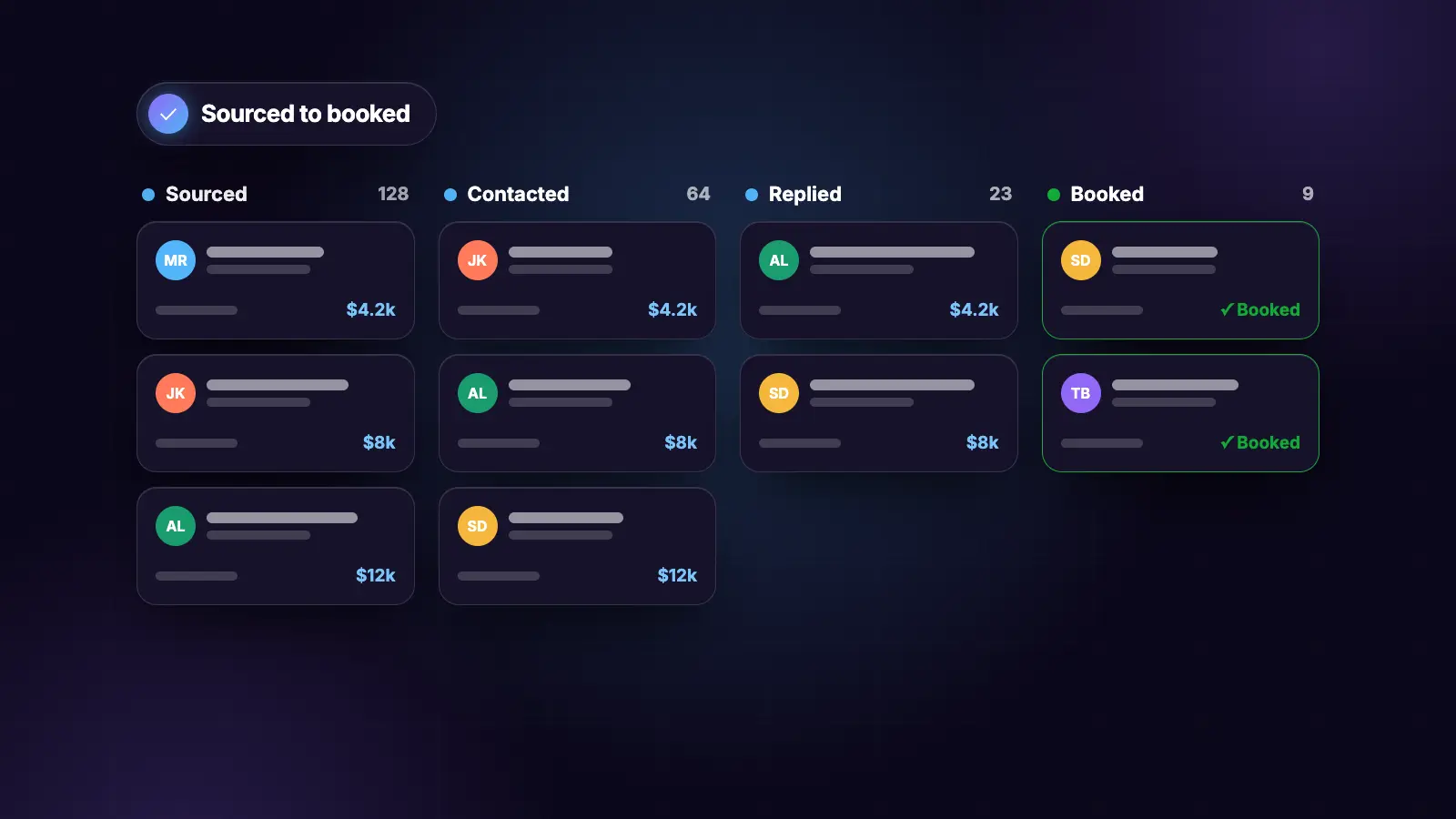
The specific handoff point: Claude does the judgement-heavy work, deciding who is worth commenting on, what a genuinely valuable comment says, and what a specific, personalised DM should reference. Prosp picks up once that first touch has happened, managing the structured, multi-touch sequencing (DM-sent, responded, meetings-scheduled, nurture, closed-lost) so that volume does not mean any individual relationship gets dropped. A founder or GTM engineer running the full journey manually through Sales Navigator lead lists can reach the same operational discipline, but Prosp is the tool that removes the ceiling on how many warm relationships can be tracked at once.

Section 3

Part 2a: LinkedIn Outreach and Content Prompts (26)

26 prompts covering the full LinkedIn outreach and content motion, reused from the 332-prompt Growth Consultant Playbook already in this workspace.

The 26 prompts

# 1. Connection note from post engagement
"Prospect commented on this post: [PASTE COMMENT/CONTEXT]. Write a
connection note under 200 characters referencing it. No pitch."

# 2. Connection note with no context available
"No specific signal available beyond their profile. Write a connection
note referencing one real, specific detail from their profile or company,
never a generic opener."

# 3. Warm DM 3-touch sequence
"Relationship started via: [comment/mutual connection/cold accept].
Write touch 1 (within 24 hours, references the start context), touch 2
(3 days later, different angle), touch 3 (7 days later, honest check-in)."

# 4. LinkedIn reply classifier
"Classify this DM reply: [PASTE]. Positive interest, positive but busy,
neutral question, objection, not interested, escalate to human. Suggest
next message if applicable."

# 5. Post engager scoring
"Score these post engagers by ICP fit and engagement depth: [PASTE LIST].
Combined priority = engagement depth (1-3) x ICP fit (1-3). Rank highest first."

# 6. LinkedIn post writer with hook selection
"Write a LinkedIn post about [TOPIC]. Select the hook type based on the
idea (specific-number, contrarian, mistake-confession, before-and-after,
direct-question) and name it. Under 200 words."

# 7. The write-hook-last edit
"Here is a full post draft: [PASTE]. Find the sharpest, most specific
line already inside it and move it to the top as the hook. Do not invent
a new one."

# 8. Hook extractor from a viral post
"Reverse-engineer the hook formula from this post: [PASTE]. Return a
blank, fillable template using the same structure for my own topic."

# 9. Content moat check
"Check this post for a content moat: is there a narrative, data, or
physical detail only I could have included? Could this exact post have
been written by anyone typing the topic into Claude? Flag if it fails."

# 10. Humanizer pass (strip AI tells)
"List every phrase in this draft that reads as generic or AI-generated:
[PASTE]. Rewrite each flagged section in plainer, more specific language.
Keep everything else unchanged."

# 11. 7-day content calendar
"Build a 7-day LinkedIn content plan from these pillars: [LIST]. For each
day: topic, hook type, format, posting time. No hook type repeats twice
in one week."

# 12. Carousel structure from source material
"Source: [PASTE BLOG POST/TRANSCRIPT]. Draft a slide-by-slide carousel
structure. One idea per slide. Include a title slide, 3-4 body slides,
and a closing CTA slide."

# 13. Comment that adds real value
"Write a comment on this post: [PASTE POST]. Must add something the post
did not say. No generic praise. 2-3 sentences."

# 14. Feed engagement session
"Find recent posts from ICP-matching profiles: [DESCRIBE ICP]. For each,
draft a 2-3 sentence comment that adds value, never mentions our product."

# 15. Post-comment-to-DM lead magnet response
"Someone commented '[KEYWORD]' on our lead magnet post. Draft the DM
delivering the resource, referencing their specific comment, ending with
a soft open-ended question."

# 16. The AI slop detector for LinkedIn
"Read this post: [PASTE]. Would someone recognise this as AI-written?
Flag any triple-adjective stacks, em dashes, rhetorical question openers,
or generic superlatives with no number attached."

# 17. LinkedIn profile audit
"Audit this profile against: headline structure, About section (problem-
solution-proof-CTA), Featured section relevance, Experience bullet
quality, skills list focus. Rank issues by priority."

# 18. Headline rewrite
"Current headline: [PASTE]. ICP: [PASTE]. Write 3 headline options
following: who you help + specific outcome + credibility marker."

# 19. About section rewrite
"Rewrite this About section: [PASTE]. Structure: hook, problem, proof,
CTA. First person. Primary keywords in the first 2 lines."

# 20. Total addressable content finder
"Given ICP: [PASTE], what is this audience currently watching, reading,
and reacting to on LinkedIn right now? Use this to seed content ideas."

# 21. Borrowed-reach content formatter
"Take this topic: [TOPIC]. Draft it in 5 formats: brand-jacking,
newsjacking, referencing a known figure, hot take, trend-riding. Return
all 5 so I can pick the strongest angle."

# 22. LinkedIn-to-X thread converter
"Convert this LinkedIn post into an X thread: [PASTE]. Hook tweet must
work standalone. Under 280 characters per tweet. 5-7 tweets."

# 23. The ICP list builder for cold campaigns
"Build a fresh LinkedIn prospect list from: [ICP CRITERIA]. Target size:
[N]. Prioritise profiles with activity in the last 14 days."

# 24. Weekly LinkedIn performance diagnostic
"This week's metrics: [PASTE]. Which posts got the most engagement and
why? Which hook type or format should I do more of next week?"

# 25. Employee advocacy content brief
"Write a brief for [TEAM MEMBER] to post about [TOPIC] in their own
voice, tied to our brand message but not sounding like corporate copy."

# 26. The DM self-check for over-pitching
"Count uses of I/we/our/my against you/your in this DM: [PASTE]. If the
first count is higher, rewrite to be about them."
Section 4

Part 2b: Prospecting and List Building Prompts (26)

26 prompts covering sourcing, filtering, enrichment, and signal-based list building, reused from the 332-prompt bank.

The 26 prompts

# 27. Cold ICP list build
"Build a list of [COMPANY TYPE] matching: [ICP CRITERIA]. Source: domain
and name only, no email lookup yet. Target: [N] companies. Output as
raw-leads.csv."

# 28. Job-posting trigger list
"Find companies posting [JOB TITLE] roles in the last 14 days.
Filter: [INDUSTRY, GEO, SIZE]. Return company, posting date, website,
employee count."

# 29. Funding-signal trigger list
"Find companies that raised funding in the last 90 days matching:
[ICP CRITERIA]. Return company, round, amount, date, and one sentence
on why this signals buying intent for our offer."

# 30. Lookalike company discovery
"Seed: [5-10 DOMAINS OF BEST-FIT CUSTOMERS]. Find [N] similar companies.
For each: why it matches, size estimate, geography, contacted before (Y/N)."

# 31. Competitor customer discovery
"Find companies that are current or likely customers of [COMPETITOR],
based on public case studies, testimonials, and integration marketplace
listings."

# 32. ICP filter pass before enrichment
"Filter this raw list against our ICP: [PASTE CRITERIA]. For each row,
check the company website and mark KEEP or DROP with a one-line reason.
Output filtered-leads.csv and dropped-leads.csv."

# 33. Email pattern finder
"For each row in this list, find the company's email pattern from
publicly visible addresses, or generate the most probable pattern.
Return: guessed email, confidence (high/medium/low), pattern used."

# 34. Decision-maker extraction
"From this company list, find the most relevant decision-maker per
company matching titles: [LIST TITLES]. Return name, title, LinkedIn URL."

# 35. Bulk profile enrichment
"Enrich these LinkedIn URLs: [PASTE]. Return role, company, location,
professional email if findable. Skip anything enriched in the last 30 days."

# 36. List quality scorecard
"Grade this list across 8 dimensions: email validity, title match,
company size fit, geography match, duplicate rate, missing fields,
seniority, domain health risk. Return score per dimension and overall grade."

# 37. Competitor engager scraping
"Competitor LinkedIn posts to monitor: [URLS]. Scrape commenters and
reactors. Filter for ICP matches. Return name, title, company, which
post they engaged with."

# 38. Tech-stack based list building
"Find companies using [SPECIFIC TOOL/TECHNOLOGY] that also match:
[ICP CRITERIA]. This signal indicates [SPECIFIC PAIN OUR OFFER SOLVES]."

# 39. Event and conference attendee list
"Based on [EVENT NAME]'s public speaker list, sponsor list, or attendee
signals, build a target list of likely attendees matching our ICP."

# 40. Referral network mapping
"From our current customer list: [PASTE], who else at their companies,
or at companies they are connected to, might also match our ICP?"

# 41. Dead lead reactivation list
"From our CRM export: [PASTE], find contacts that went cold 90+ days ago
but still match our ICP. Rank by likelihood to re-engage based on their
last interaction."

# 42. Waterfall enrichment across providers
"Enrich this list. Try [PROVIDER 1] first. If no email found, try
[PROVIDER 2]. If still none, try [PROVIDER 3]. Mark the source provider
per row that succeeded."

# 43. Duplicate detection across lists
"Compare these two lists: [LIST A] and [LIST B]. Flag exact duplicates,
probable duplicates (same company, different contact), and unique entries
in each."

# 44. Territory and account mapping
"Split this account list into territories by [CRITERIA: geography, size,
vertical]. Balance territories so total addressable revenue is roughly
equal across reps."

# 45. Intent signal aggregation
"Aggregate signals for this account list from job postings, funding news,
leadership changes, and tech installs. Score and route into tiers: urgent,
weekly, monitor."

# 46. The TAM sanity check
"Given ICP criteria: [PASTE], estimate our total addressable market size.
If under [THRESHOLD], recommend how to widen the criteria without losing
fit."

# 47. LinkedIn Sales Navigator search string builder
"Build the exact Sales Navigator filter combination (titles, seniority,
company size, geography, keywords) for this ICP: [PASTE]."

# 48. Prospect research brief before first contact
"Research [COMPANY NAME] and [CONTACT NAME]. Return: company overview,
recent news, the contact's likely priorities, and one specific detail to
reference in outreach."

# 49. List segmentation by buying stage
"Segment this list into cold, warm (engaged with content), and hot
(showed direct signal) based on: [DESCRIBE AVAILABLE SIGNAL DATA]."

# 50. The one-question DM opener
"Write a DM that asks exactly one specific, easy-to-answer question as
the entire opener, nothing else."

# 51. Mutual-connection DM opener
"We share a mutual connection with [PROSPECT]: [CONNECTION NAME]. Write
a DM that references this naturally without sounding like a namedrop."

# 52. The disqualification sweep
"Run this list against our disqualifiers: [LIST]. Remove any row matching
a disqualifier and log the reason removed."
Section 5

Part 3a: Skills 1-41, Pulled from Existing Lead Mags

54 skills across 6 groups: the 41 already built in the Claude Revenue for GTM bank (LinkedIn-relevant subset), plus 13 new ones covering the specific gaps found in fresh GitHub research. 5 of the new ones are inspired by real repos found through research and paraphrased into original skills; the rest are original.

Group 1: Foundation (4)

skill-creator, brand-voice, audience-profile, icp-prompt-builder. Full copy-paste content for all 4 is in the Claude Revenue for GTM bank elsewhere in this workspace. Every other skill below reads from these.

Group 2: Content Creation (5)

content-engine, linkedin-post-writer, editorial-calendar, brand-system-extractor, linkedin-carousel-builder. Full copy-paste content for all 5 is in the Claude Revenue for GTM bank.

Group 3: The 11-Skill LinkedIn Outreach Core

linkedin-outreach, linkedin-high-intent, linkedin-feed-engage, linkedin-enrich, linkedin-connection-note-writer, linkedin-reply-classifier, linkedin-post-engager-scorer, linkedin-icp-list-builder, linkedin-warm-dm-sequencer, linkedin-campaign-reporter, linkedin-authority-builder. Full copy-paste content for all 11 is in the Claude Revenue for GTM bank.

Group 4: Lead List and Email (8)

raw-list-source, icp-filter-pass, email-finder, verify-and-segment, list-quality-scorecard, disco-like, competitor-engagers, cold-email-personaliser. Full copy-paste content for all 8 is in the Claude Revenue for GTM bank.

Group 5: Sales and Operations (7)

gtm-day-planner, lead-qualifier, objection-handler, client-report, competitive-brief, campaign-brief, meeting-notes. Full copy-paste content for all 7 is in the Claude Revenue for GTM bank.

Group 6: Profile, Distribution, and Voice-Note Skills (6)

profile-audit, headline-and-about-rewriter (from The LinkedIn Profile-to-Pipeline Playbook), borrowed-reach-formatter (from The LinkedIn Distribution Playbook), voice-note-transcriber, voice-to-post-drafter, hook-last-and-humanize (from LinkedIn for the Non-Writer). Full copy-paste content for all 6 is in their respective lead mags elsewhere in this workspace.

That accounts for 41 of the 54

The remaining 13, covering gaps identified through fresh GitHub research, are written out in full on the following pages.

Section 6

Part 3b: Skills 42-47, New (7 Skills)

The first 7 of 13 new skills, inspired by real patterns found in xx254/linkedin_skills and mcpmarket's LinkedIn Lead Finder, written as fully original skills.

Skill 42: lead-scoring-tiers

Inspired by the qualified/disqualified CSV pattern seen in xx254/linkedin_skills, a full lead-filtering skill that outputs a canonical registry rather than a one-off score.

mkdir -p .claude/skills/lead-scoring-tiers

---
name: lead-scoring-tiers
description: >
  When scoring a CSV of LinkedIn leads into qualification tiers, load
  this skill.
---

Input: leads.csv (name, title, company, LinkedIn URL). ICP from CLAUDE.md.

For each lead, score against: title match, company type match, size
fit, geography, and any disqualifier present.

Bucket into: qualified.csv, review.csv (borderline, needs a human
judgement call), disqualified.csv (with the specific reason logged).

Also write lead_registry.json: a canonical, deduplicated record of
every lead ever scored, so re-runs never re-score or re-contact the
same lead twice.

Rules: never silently drop a lead, every lead ends up in exactly one
of the three output files with a reason logged.

Skill 43: voice-calibration

Inspired by the /calibrate-voice pattern seen in xx254/linkedin_skills, a skill that builds and continuously updates a brand-voice.md file from real examples rather than a one-time description.

mkdir -p .claude/skills/voice-calibration

---
name: voice-calibration
description: >
  When building or updating a writing voice guide from real message
  examples, load this skill.
---

Input: 5-10 real messages, posts, or comments the user has actually
written and considers on-voice.

Analyse: sentence length pattern, vocabulary choices, how directly they
state things, what they never say, how they open and close messages.

Write or update brand-voice.md with these findings as concrete rules,
not vague adjectives.

On subsequent runs: if given new examples plus feedback on what worked
or did not, update brand-voice.md with the specific correction rather
than rewriting the whole file.

Skill 44: decision-maker-mapper

Inspired by mcpmarket's LinkedIn Lead Finder pattern of mapping job titles to departmental functions with confidence scoring.

mkdir -p .claude/skills/decision-maker-mapper

---
name: decision-maker-mapper
description: >
  When identifying the right decision-maker or department head at a
  target company, load this skill.
---

Input: target company, the function I need a contact for (e.g.
Marketing, Engineering, Ops).

Map the function to the specific titles likely to hold decision-making
authority at a company of this size and type (a 20-person company's
Head of Marketing differs from a 2,000-person company's VP Marketing
in actual authority level).

Search for matching profiles. For each candidate: confidence score
(high/medium/low) based on title match, tenure, and any visible signal
of actual authority (do they post about budget decisions, do they
appear in the company's own announcements).

Output: ranked candidate list with confidence scores, not a single
guess presented as certain.

Skill 45: campaign-diagnostic

Inspired by the diagnostic pattern in xx254/linkedin_skills that identifies which lever (targeting, voice, or reply handling) is actually broken when a campaign underperforms.

mkdir -p .claude/skills/campaign-diagnostic

---
name: campaign-diagnostic
description: >
  When a LinkedIn outreach campaign is underperforming and needs
  diagnosis, load this skill.
---

Input: campaign metrics (connections sent, accepted, DMs sent, replies,
meetings booked). Sample of actual messages sent.

Diagnose which lever is broken:
- Targeting: low acceptance rate despite a decent connection note
  suggests the ICP itself is off, not the message
- Voice: decent acceptance but low reply rate suggests the DM content
  or tone is the problem
- Reply handling: good reply rate but few meetings booked suggests the
  conversation itself is not converting

Output: a precise diagnosis (not a vague "try harder"), a specific fix
list, and if the fix involves voice, a note to run voice-calibration
with corrected examples.

Skill 46: amplify-connector-setup

Inspired by ConnectSafely's Amplify Claude connector pattern, describing how to combine persistent memory, an API connection, and sub-agents into one setup, written as an original configuration guide skill rather than the specific vendor implementation.

mkdir -p .claude/skills/amplify-connector-setup

---
name: amplify-connector-setup
description: >
  When setting up a persistent, memory-backed LinkedIn automation
  connector, load this skill to check the configuration is complete.
---

Check for 3 components before considering the setup complete:
1. Persistent memory: a location where campaign history, contacted
   leads, and voice examples accumulate across sessions rather than
   resetting each time
2. The API connection: whichever LinkedIn automation API or MCP is
   being used, confirmed connected and authenticated
3. Sub-agent delegation: whether specific tasks (research, drafting,
   reply handling) are split across dedicated skills/agents rather
   than one general-purpose prompt handling everything

Output: a checklist confirming all 3 are in place, or specific gaps
to fix before the system is considered production-ready.

Skill 47: reciprocity-tracker

mkdir -p .claude/skills/reciprocity-tracker

---
name: reciprocity-tracker
description: >
  When logging daily comment activity to avoid repeating the same
  creators or prospects in a way that looks automated, load this skill.
---

Log every comment left: which creator or prospect's post, the date,
and a brief note on the angle taken.

Before each new comment session: check the log so the same person is
not commented on twice within a short window, and so comment angles
are varied rather than repeating the same observation.

Output: a running reciprocity-log.md and a flag if any single
creator or prospect is being over-targeted relative to the rest of
the list.
Section 7

Part 3c: Skills 48-54, New (7 Skills)

The final 7 of 13 new skills, rounding out the bank to 54.

Skill 48: total-addressable-content-finder

mkdir -p .claude/skills/total-addressable-content-finder

---
name: total-addressable-content-finder
description: >
  When finding what an ICP audience is currently engaging with on
  LinkedIn to seed content ideas, load this skill.
---

Given the ICP file, research what this audience is currently watching,
reading, and reacting to on LinkedIn right now. Return specific posts,
topics, and creators currently getting traction with this exact
audience, as direct input for borrowed-reach-formatter or content
planning.

Skill 49: content-bucket-planner

mkdir -p .claude/skills/content-bucket-planner

---
name: content-bucket-planner
description: >
  When sorting a content calendar into the growth/authority/conversion/
  personal split, load this skill.
---

Take a week or month of planned topics and sort into: 40% growth, 30%
authority, 20% conversion, 10% personal. Flag any week overweighted
toward one bucket, since 100% authority content to a cold audience
converts nobody, and 100% growth content with no conversion layer
builds an audience that never buys.

Skill 50: point-of-view-extractor

mkdir -p .claude/skills/point-of-view-extractor

---
name: point-of-view-extractor
description: >
  When mining for a genuine contrarian point of view to seed authority
  or hot-take content, load this skill.
---

Interview me about what I believe that contradicts my industry's
consensus. Turn the answers into a bank of contrarian angles. A
genuine point of view is the one thing competitors cannot copy and AI
cannot generate on its own, since it is a stance built from real
experience, not a fact.

Skill 51: warm-signal-tracker

mkdir -p .claude/skills/warm-signal-tracker

---
name: warm-signal-tracker
description: >
  When monitoring repeat commenters, profile viewers, and post-savers
  to flag who is worth a proactive DM, load this skill.
---

Monitor engagement against the ICP. Flag anyone who has crossed the
threshold to be worth a proactive DM: 3+ comments across different
posts, or repeated profile views from within the exact ICP, rather
than waiting passively for them to message first.

Skill 52: dm-reply-time-monitor

mkdir -p .claude/skills/dm-reply-time-monitor

---
name: dm-reply-time-monitor
description: >
  When tracking how long an inbound DM has gone unanswered, load this
  skill.
---

Track every inbound DM's timestamp against the current time. Escalate
anything approaching 24 hours unanswered, since trust built over weeks
of comments and posts cools quickly if the reply is delayed.

Skill 53: sales-prospect-list

mkdir -p .claude/skills/sales-prospect-list

---
name: sales-prospect-list
description: >
  When maintaining the single running target list this entire lead gen
  system operates against, load this skill.
---

Maintain one canonical prospect list across all sourcing methods (cold
ICP builds, high-intent post scraping, competitor engagers, referral
mapping). Every new lead gets checked against this list before being
added, so the same person is never sourced twice from two different
methods without anyone noticing.

Skill 54: sales-call-prep

mkdir -p .claude/skills/sales-call-prep

---
name: sales-call-prep
description: >
  When a DM conversation converts to a booked call, load this skill to
  prepare a brief from everything gathered across the lead gen system.
---

Pull together everything known about this contact: the original
sourcing signal, every comment or DM exchange, and their profile
context. Produce a one-page call brief: who they are, why they engaged,
what they likely want to know, and the specific outcome to aim for.
Section 8

Part 4a: Reused Reporting Prompts (18)

A second, distinct prompt bank for once the lead gen system is actually running: campaign-level planning, diagnostics, and reporting rather than one-off drafting prompts. 18 reused from the Reporting and Analytics category of the 332-prompt Growth Consultant bank, 32 new ones written specifically for LinkedIn lead gen campaign management.

Reused: reporting and analytics (18)

# 1. Weekly client report from raw metrics
"Turn these campaign metrics: [PASTE] into a client-facing weekly
update. Translate any technical jargon into plain client language.
Under 250 words."

# 2. Executive dashboard from a raw tracker
"Build an executive dashboard summary from this raw project tracker:
[PASTE]: status breakdown, priority items, upcoming deadlines."

# 3. Campaign performance diagnostic
"This campaign got [METRICS]. Diagnose whether targeting, creative, or
landing page is the likely bottleneck, based on the funnel data."

# 4. Monthly performance narrative
"Write the monthly performance narrative from this data: [PASTE]: what
worked, what didn't, and what we're doing differently next month."

# 5. Attribution model explainer
"Given this multi-touch data: [PASTE], explain in plain language which
channels are actually driving conversions versus just getting credit."

# 6. The jargon-to-client-language translator
"Translate this internal update into client-facing language: [PASTE
INTERNAL NOTE]. Never hide a problem; explain what happened and what
we're doing about it."

# 7. QBR data compilation for a client
"Compile this quarter's client data: [PASTE] into a QBR-ready
presentation: results, learnings, and next-quarter priorities."

# 8. Board-ready revenue summary
"Summarise this quarter's revenue performance: [PASTE] into a board-
ready one-pager: the number, the trend, and the one thing driving it."

# 9. A/B test results interpretation
"Given these A/B test results: [PASTE], are they statistically
significant? What should we actually conclude and do next?"

# 10. Cohort retention analysis
"Given this cohort data: [PASTE], what does retention look like by
signup month, and what changed between the best and worst cohorts?"

# 11. Content ROI report
"Given this content performance data: [PASTE], which pieces actually
drove pipeline versus just traffic? Rank by real business impact."

# 12. The 'what's not working' honest audit
"Be honest, not diplomatic: given this performance data: [PASTE], what
is genuinely not working right now and should be stopped?"

# 13. Weekly GTM signal digest
"Pull together this week's campaign performance, client messages, and
pipeline signals: [PASTE] into one morning digest with anything urgent
flagged first."

# 14. Forecast versus actual variance explanation
"Given forecast of [X] and actual of [Y], explain the variance: was it
timing, deal size, or win rate that drove the gap?"

# 15. Channel efficiency comparison
"Compare cost-per-lead and cost-per-opportunity across these channels:
[PASTE DATA]. Which channel deserves more budget next quarter?"

# 16. The low-sample-size flag
"Review this performance claim: [PASTE]. Is the sample size large enough
to draw a real conclusion, or is this noise?"

# 17. Client-facing annual review
"Compile a full year of results into an annual review document for
[CLIENT]: key wins, lessons learned, and next year's priorities."

# 18. The metric that actually matters this week
"Given all our tracked metrics: [PASTE], which single metric should
leadership actually look at this week, and why does it matter more than
the others right now?"
Section 9

Part 4b: New Campaign and Pipeline Prompts (16)

16 new prompts specifically for LinkedIn lead gen campaign architecture and pipeline decisions.

The 16 prompts

# 19. Full campaign architecture before launch
"Before building anything: name the one assumption this LinkedIn
campaign lives or dies on and the cheapest test to validate it. Then
produce: target list size, content-to-outreach ratio, daily cap
allocation, and success metrics with kill thresholds."

# 20. The comment-to-connect sequencing decision
"Given this ICP and current engagement data: [PASTE], should this
campaign lead with cold connection requests or with a comment-first
warmup sequence? Argue both and recommend."

# 21. Daily cap allocation across skills
"Given a daily budget of [N] connection requests and [N] comments,
how should this be split across linkedin-outreach, linkedin-high-intent,
and linkedin-feed-engage for the best overall pipeline yield?"

# 22. Campaign kill/continue decision
"This campaign has run for [N] weeks with these results: [PASTE].
Should we continue, adjust, or kill it? Give the actual recommendation,
not just the data."

# 23. Multi-campaign prioritisation
"We have [N] potential ICP segments to target: [LIST]. Given limited
daily outreach capacity, which segment should get priority this month
and why?"

# 24. The acceptance rate diagnostic
"Our connection acceptance rate is [X]%. Is this healthy? If not,
diagnose whether the ICP targeting, the connection note, or the
profile itself is the likely cause."

# 25. The reply rate diagnostic
"Our DM reply rate is [X]%. Given these sample messages: [PASTE],
diagnose whether the issue is the opener, the offer, or the overall tone."

# 26. Meeting conversion diagnostic
"We are getting replies but few booked meetings. Given this
conversation sample: [PASTE], where is the conversation stalling?"

# 27. Weekly Prosp handoff summary
"Summarise this week's warm leads ready for Prosp handoff: [PASTE].
For each: source signal, engagement history, and recommended sequence
type."

# 28. Campaign fatigue check
"We have been running the same outreach angle for [N] weeks. Given
declining reply rates: [PASTE], is it time to rotate the angle? What
should the new angle be?"

# 29. The ICP expansion decision
"Our current ICP is producing [N] qualified leads per week. Should we
widen the ICP criteria, or is the volume ceiling actually a targeting
precision issue? Argue both."

# 30. Cross-campaign deduplication check
"We are running [N] campaigns simultaneously: [LIST]. Check for any
prospect being contacted by more than one campaign and flag it."

# 31. The team capacity check
"Given our current lead volume: [PASTE] and available follow-up
capacity: [X hours/week], are we generating more warm leads than we
can actually follow up on? At what volume should Prosp take over
follow-up entirely?"

# 32. Monthly system health review
"Review this month's full funnel: content reach, comment activity,
connections sent, DMs sent, replies, meetings booked, closed deals.
Where is the biggest drop-off in the funnel, and what's the one fix
for it?"

# 33. New market/segment test plan
"We want to test lead gen in a new segment: [DESCRIBE]. Design a
small-scale test: sample size, timeline, and the specific signal that
would tell us to scale it up."

# 34. The seasonal campaign adjustment
"Given [SEASONAL CONTEXT, e.g. summer slowdown, fiscal year end],
should our outreach volume or messaging change this month? Recommend
specific adjustments."
Section 10

Part 4c: New Team and Attribution Prompts (16)

16 more new prompts covering team coordination, content-to-pipeline attribution, and system maintenance, completing the 50-prompt Part 4 bank.

The final 16 prompts

# 35. Team member voice differentiation check
"We have [N] team members posting on LinkedIn as part of the same
system. Given samples from each: [PASTE], confirm each voice is
genuinely distinct, not interchangeable."

# 36. Content-to-pipeline attribution
"Given this list of published posts and the leads that came from
each: [PASTE], which content pillar or format is actually driving
pipeline, not just engagement?"

# 37. The borrowed-reach ROI check
"We tested [N] borrowed-reach posts (brand-jacking, newsjacking, etc.)
this month: [PASTE RESULTS]. Which format produced the best pipeline
result relative to effort?"

# 38. Employee advocacy program ROI
"Given participation and results from our team advocacy program:
[PASTE], is this program worth the coordination overhead? What would
make it more efficient?"

# 39. The skill library audit
"Given this list of skills we've built: [PASTE], which are being run
regularly, which are underused, and which need updating based on
recent results?"

# 40. CLAUDE.md staleness check
"Review our CLAUDE.md context file: [PASTE] against our current ICP
and recent campaign results. Is anything in here outdated?"

# 41. The competitor response campaign
"A competitor just launched [DESCRIBE]. Should our LinkedIn content or
outreach respond directly, or is this not worth reacting to?"

# 42. Quarterly ICP refinement
"Given this quarter's closed-won deals: [PASTE], does our current ICP
definition still match who actually bought? Propose refinements."

# 43. The over-automation check
"Review our current LinkedIn activity: [DESCRIBE VOLUME AND CADENCE].
Are we running high enough volume that it risks reading as automated
rather than genuine? Where should we pull back?"

# 44. New hire onboarding to the system
"A new team member is joining our LinkedIn lead gen effort. Write the
onboarding brief: which skills they'll use, the daily routine, and the
rules that must never be broken."

# 45. The Prosp sequence performance review
"Given this quarter's Prosp sequence performance: [PASTE], which
sequence type (post-engagement, cold-connect-warmup, high-intent) is
converting best, and should we shift volume toward it?"

# 46. Content batch planning from campaign gaps
"Given this quarter's underperforming ICP segments: [PASTE], what
content should we produce next month specifically to warm up that
segment before the next outreach push?"

# 47. The annual LinkedIn lead gen retrospective
"Compile a full year of this system's results: [PASTE]. What worked,
what didn't, and what should change structurally for next year, not
just tactically?"

# 48. Budget justification for scaling the system
"Given this system's current results and cost: [PASTE], build the
case for [scaling headcount / adding Prosp seats / expanding to a new
channel]."

# 49. The system health check before a big push
"Before launching a major campaign push, check: is our CRM/pipeline
tracking clean, is our content calendar full for the next 4 weeks, and
is our Prosp handoff process tested? Flag any gap."

# 50. The one-sentence system summary for a stakeholder
"Summarise our entire LinkedIn lead gen system in one paragraph a
non-technical stakeholder would actually understand: what it does,
what it costs, and what it has produced."
Section 11

Quick Reference: The Full Tally and Build Order

The full mega resource tallied honestly: 78 prompts and 54 skills across 4 parts, well past the 50+ target on every asset type.

The real totals

Part 1, The Playbook: 5 modules tying the whole system together.

Part 2, Lead Gen Prompts: 52 (26 outreach and content + 26 prospecting and list building).

Part 3, Skills for Lead Gen: 54 (41 pulled from existing lead mags + 13 new).

Part 4, Claude Prompts for Campaigns and Reporting: 50 (18 reused reporting prompts + 32 new campaign, pipeline, and attribution prompts).

Combined prompt total across Parts 2 and 4: 102. Skill total: 54.

Where the new material came from

Fresh GitHub research surfaced 5 real repos worth knowing about even though their internal file contents were not directly reproduced here: xx254/linkedin_skills (lead filtering with a canonical registry, voice calibration from real message examples, and a diagnostic pattern for identifying which lever is broken in an underperforming campaign), claude-dev-code/claude-skills-linkedin (the same 4-skill LinkupAPI bundle already documented elsewhere in this workspace, confirming the shared daily-cap and dedup pattern), sergebulaev/linkedin-skills (now at 20 hook formulas as of its latest version, up from 11), mcpmarket's LinkedIn Lead Finder (title-to-department mapping with confidence scoring for decision-maker identification), and ConnectSafely's Claude Cowork LinkedIn integration guide (the persistent-memory-plus-API-plus-sub-agent pattern for a production-grade connector setup).

5 of the 13 new skills in Part 3 are original skills inspired by patterns found in that research, written in full and attributed to the pattern they draw from, not reproduced from any file directly.

Build order for using the whole mega resource

Week 1: read Part 1 (the playbook) in full, then install the Group 1 and Group 3 skills from Part 3 (foundation and the 11-skill LinkedIn outreach core).

Week 2: install the remaining skill groups, and start pulling prompts from Part 2 for daily content and outreach drafting.

Week 3: install the 13 new skills from Part 3b and 3c, particularly lead-scoring-tiers and voice-calibration, since these compound in value the more real data they have to learn from.

Week 4 onward: use Part 4's campaign and reporting prompts weekly to diagnose and adjust the system, and once warm lead volume exceeds manual tracking capacity, hand the follow-up layer to Prosp exactly as described in Module 5 of the playbook.

8 sessions left · booking closes in

Build it live with a GTM engineer

45 minutes, screen shared, on your own list. You leave with a working campaign or agent, not a set of notes.

5/5 rated on Capterra·800+ agencies and sales teams·Set up in 5 minutes
8 GTM engineer sessions left this monthTry Prosp Free