Done-for-you buildA specialist builds your first campaign · 6 build slots left · closes in Claim a build slot

Claude for LinkedIn: Full Playbook

60+ copy-paste prompts for marketing, SaaS, and B2B. Organised into 6 categories. Every prompt is ready to use - just swap in your details and run.

Try Prosp Free3 working days to live · 6 slots left this week
5/5 rated on Capterra·Used by 800+ agencies and sales teams
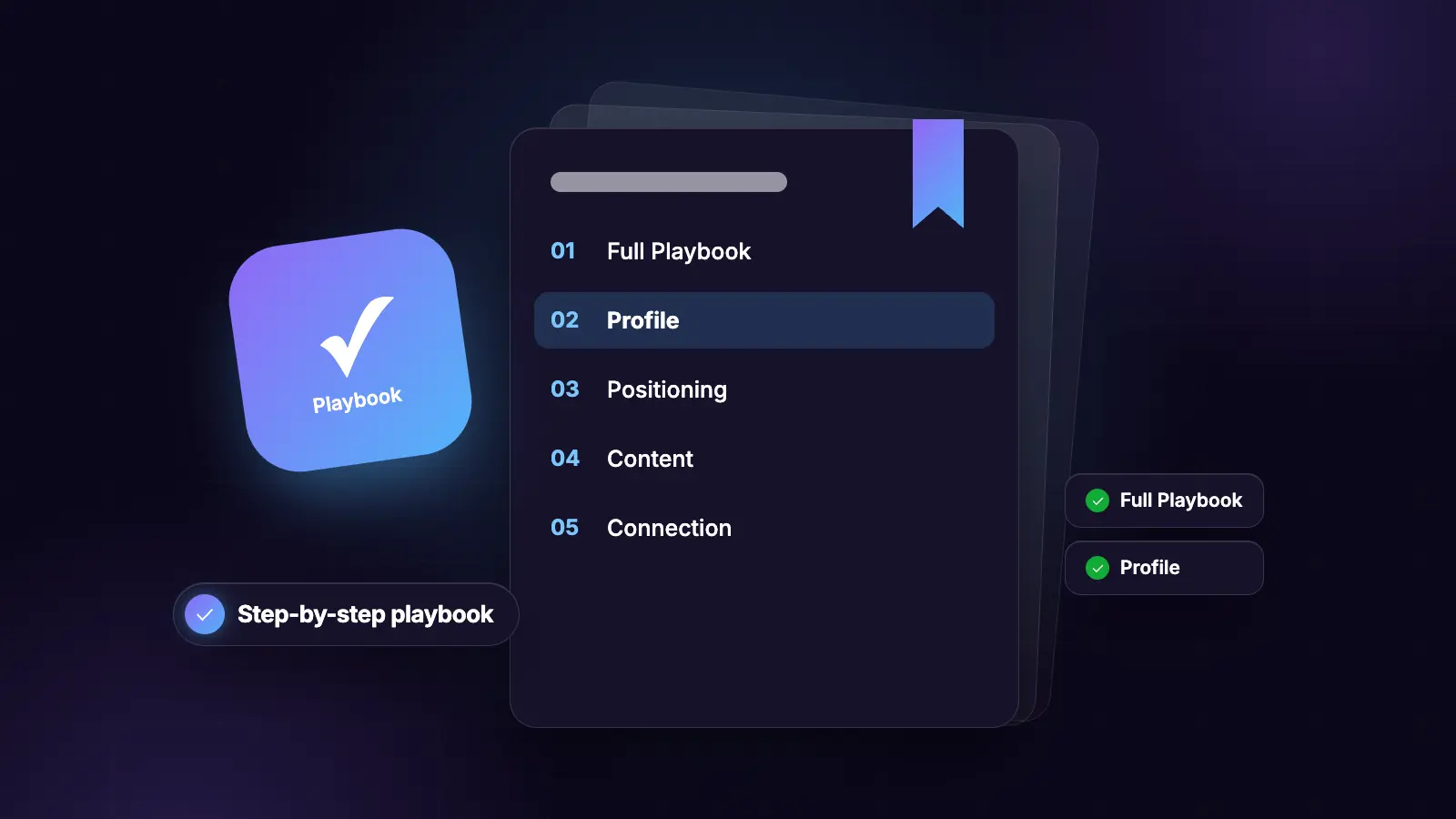
Playbook42 sections
Section 1

The AI Prompt Vault: 60+ Copy-Paste Prompts for Marketing, SaaS, and B2B

60+ copy-paste prompts for marketing, SaaS, and B2B. Organised into 6 categories. Every prompt is ready to use - just swap in your details and run.

Section 2

Positioning, Messaging, and Market Research

Everything in this section helps you find out what your market actually thinks, what words they use, and where your messaging is broken before you spend a pound on distribution.

Homepage copy audit

When to use

The prompt

Voice of customer mining

When to use

The prompt

Proprietary framework builder

When to use

The prompt

Brand voice bible

When to use

The prompt

Competitor ad deconstruction

When to use

The prompt

RITE prompt framework

When to use

The structure

Devil's advocate campaign review

When to use

The prompt

ICP research document

When to use

The prompt

Section 3

Content, LinkedIn, and Social

Prompts for writing LinkedIn posts, repurposing content across formats, building carousels, and generating a week of content from a single source.

LinkedIn post framework

The prompt

Content repurposing - 4 formats from one article

When to use

The 4 prompts

LinkedIn engagement machine - full 4-prompt chain

How to use

Prompt 1: Ideation engine

Prompt 2: Writing system

Prompt 3: Polish filter

Prompt 4: Lead magnet builder

Transcript to content angles

The prompt

LinkedIn carousel from any content (Gemini + Gamma)

Step 1 - Extract angles

Step 2 - Generate carousel outline

Deep research for content strategy

The prompt

Section 4

Email, Ads, and PR

Prompts for email marketing, paid advertising, and PR data studies.

Email imperfections - make AI emails feel human

When to use

The prompt

Subject line battle test

The prompt

5-angle ad brief

When to use

The prompt

PR data study - 8-step prompt chain

What this builds

Step 1: Find your question

Step 2: Choose your data source

Step 4: Analyse with AI

Step 5: Verify findings

Step 6: Write the findings report

Step 7: Build the press pack

Step 8: Public page

Section 5

Live Business Dashboards (7 Artifacts)

Seven self-refreshing dashboards for Claude Cowork, each pulling live data from your tools so you stop tab-hopping every morning. Build each one by pasting the prompt into a Cowork session with the relevant connectors active.

1. Competitor move tracker

Connectors needed

The prompt

2. Daily command centre

Connectors needed

The prompt

3. Daily financial position

Connectors needed

The prompt

4. SEO pulse

Connectors needed

The prompt

5. Support pulse

Connectors needed

The prompt

6. Sales pulse

Connectors needed

The prompt

7. YouTube morning brief

Connectors needed

The prompt

Section 6

Sales, Prospecting, and Agency Workflows

Prompts for building client intelligence, running AI audits, scraping prospect data, and setting up Cowork-powered agency workflows.

Client intelligence brief

When to use

The prompt

AI audit questionnaire

When to use

The prompt

AI implementation roadmap

When to use

The prompt

Web scraping for lead lists

Setup needed

Local business scrape

Vibe prospecting - enrich with decision makers

Job description scrape for research

Research report from scraped data

Cowork use cases - 5 prompt templates

Hiring manager

SEO auditor

Customer intelligence builder

Content strategist

Group travel agent

Section 7

AI Skills, Cowork Projects, and Tool Setup

Prompts for building Claude skills, setting up Cowork projects, migrating from ChatGPT, and building websites with AI.

Build a Claude skill from any prompt

When to use

The prompt

Decision council skill

What it does

The prompt to build it

Framework reverse engineer skill

What it does

The prompt to build it

Brand applicator skill

What it does

The prompt to build it

ChatGPT to Claude migration

When to use

The prompt

Build a professional website in 20 minutes - 4-prompt chain

How to use

Prompt 1: Business context

Prompt 2: Extract design inspiration

Prompt 3: Brand identity

Prompt 4: Generate Lovable spec

Section 8

Annual Review and Goal Planning

Prompts for annual business and personal reviews, goal-setting, roadmap planning, and building an interactive tracking dashboard.

Annual review - full 4-prompt chain

How to use

Prompt 1: Reflect

Prompt 2: Extract patterns and blind spots

Prompt 3: Envision

Prompt 4: Roadmap and dashboard

AI Driven, Personalized Outreach on LinkedIn: Prosp 💜

Start a 14 Day Free Trial 💜 Watch Full Tutorial ▶️

Section 9

Claude for RevOps: The Complete Cheatsheet

Section 10

What Claude Can (and Can't) Do for Your GTM Team

Most GTM teams use Claude like a slightly smarter Google. This is the list of what it's actually capable of when used properly - and where it breaks down so you don't waste time expecting the wrong things.

What Claude can do for GTM teams

Pipeline and forecasting

Lead gen and outbound

Deal reviews and pipeline management

GTM strategy and planning

What Claude cannot do

Hard limits to know before you start

Section 11

Which Claude Model and Mode for Which GTM Task

Not every Claude task needs the same setup. Using Opus for a quick email draft wastes your token budget. Using Chat for a complex multi-week pipeline project loses all your context. Here's how to match the right model and mode to the right GTM task.

Model: Sonnet vs Opus

Use Sonnet (claude-sonnet-4) for:

Use Opus (claude-opus-4) for:

Mode: Chat vs Projects vs Co-work vs API

Chat - for quick one-off tasks

Projects - for ongoing GTM workstreams

Co-work - for multi-step agentic execution

API - for automation and scale

Which mode for your role

Sales reps and AEs

GTM managers and directors

Founders and heads of GTM

Section 12

How to Give Claude the Right Context About Your Sales Org

Claude is only as useful as the context you give it. If it doesn't know your ICP, your sales motion, your territory, or your fiscal calendar, it gives you generic output. Feed it the right context once - in a Project or as a preamble - and everything it produces becomes specific and usable.

The context Claude needs about your GTM org

Company and ICP

Segments and territories

Sales methodology

Fiscal calendar

Tech stack and tooling

Output audience

How to provide this context efficiently

The system prompt approach

Section 13

8 Prompt Templates for GTM and Pipeline Work

Copy, paste, adapt. Fill in the bracketed variables before sending. These are the highest-leverage GTM prompts - the ones that would otherwise take 30-60 minutes to do manually.

Pipeline report summary

When to use

The prompt

MEDDIC gap analysis

When to use

The prompt

Call transcript to opportunity update

When to use

The prompt

Pre-meeting brief

When to use

The prompt

Deal risk signals message

When to use

The prompt

QBR narrative builder

When to use

The prompt

Lead routing logic doc

When to use

The prompt

ICP scoring rubric

When to use

The prompt

Section 14

Integrations, Output Formats, and When Not to Trust the Output

Claude is powerful but not infallible. Here's how to connect it to your GTM stack, how to format outputs for different audiences, and where it breaks down so you don't build workflows on shaky foundations.

Connecting Claude to your GTM stack

CRM (Salesforce or HubSpot)

Workflow automation (Zapier, n8n, Make)

GTM AI tools (Clay, Instantly, HeyReach)

Output format guide: match the format to the audience

Always tell Claude who's reading the output

Where Claude breaks down

What it will get wrong

When not to trust the output

How to verify before it ships

Section 15

How to Make Viral LinkedIn Posts with Claude Code (Step by Step)

AI Driven, Personalized Outreach on LinkedIn: Prosp 💜

Start a 14 Day Free Trial 💜 Watch Full Tutorial ▶️

Section 16

Step 1: Build Your profile.md File So Claude Writes in Your Voice

If you want Claude Code to write content that sounds like you, you have to tell it who you are. Not once in a prompt - permanently, in a file it reads every time. That file is your profile.md and it's the single most important setup step in this whole workflow.

What goes in your profile.md

Two sections

What Claude does with it

Keep it updated

It's a living document

Section 17

Step 2: Build a hooks.md File for Stronger LinkedIn Openers

The hook is the first two sentences of your LinkedIn post. It determines whether anyone reads the rest. Claude Code pulls from a hooks.md file to decide how to open each post - which means the quality of your hooks file directly determines the quality of your posts.

What a hooks file is

A reference library of strong openers

What makes a strong hook for LinkedIn

Numbers and specifics outperform vague statements

What to avoid

Section 18

Step 3: Run the Skill File to Generate, Review and Approve Your Posts

The skill file runs the whole process. You give it a topic or a script, it reads your profile and hooks files, generates three post options, and lets you review, edit, approve, or regenerate each one before anything gets published. You stay in control. Claude does the drafting.

Two ways to create a post

Option A: From a YouTube script or existing piece of writing

Option B: From a topic or idea

Reviewing the three drafts

You review every post before it's approved

What to look for when reviewing

The photo selection system

Name your photos as descriptions

Section 19

Step 4: Auto-Publish and Schedule to LinkedIn with Playwright MCP

Once you've approved your posts, Claude Code can publish them directly to LinkedIn using Playwright MCP - a tool that controls your browser automatically. It navigates to LinkedIn, pastes the post, uploads the photo, and schedules it for your preferred time. You don't touch it.

How it works

Playwright MCP controls your browser

What you set in the skill file

Publish now or schedule for later

Your two options per post

If you'd rather post manually

It takes under a minute

What the full workflow looks like in practice

One hour, 3-4 quality posts

Section 20

Claude Co-work Live Artifacts: Build Dashboards That Update Themselves

Section 21

What Live Artifacts Are and How to Build One

A static artifact in Claude Co-work goes stale the moment it's generated. Every time you want fresh data - new emails, updated calendar, latest CRM entries - you have to tell Claude to pull everything again and regenerate the whole thing from scratch. That burns tokens every time.

Live artifacts fix this. They connect directly to your apps and update automatically without you asking Claude to refresh anything.

What a live artifact actually is

Plain English

What you can connect

How to build one

Requirements

Connect your apps first

Build the artifact

Token saving

Section 22

Build a Daily Operating System Dashboard That Runs Without You

Instead of opening Gmail, then your calendar, then your CRM, then your project tool every morning - build one live artifact that pulls all of it into a single dashboard. Check one thing, know everything you need to know, and start working.

What to put in a daily operating system dashboard

Inbox triage

Calendar for the week

Top priorities

Ongoing conversations that need replies

The prompt to build it

What to say to Claude

Accessing it every day

Where it lives

AI Driven, Personalized Outreach on LinkedIn: Prosp 💜

Start a 14 Day Free Trial 💜 Watch Full Tutorial ▶️

Section 23

LinkedIn B2B Outreach: The 40-Skill Claude Code Playbook

AI Driven, Personalized Outreach on LinkedIn: Prosp 💜

Start a 14 Day Free Trial 💜 Watch Full Tutorial ▶️

Section 24

What This Plugin Does That 40 Standalone Skills Can't

40 outbound skills that share one brief file. Every session opens with your company, ICP, value props, personas, and competitors already loaded. You describe the business once. Every skill reads the same source. This is the gap between a skills library and a skills system.

Source: github.com/henriquecaner/next-level-outreach

The problem with standalone skills

You re-explain the business every session

What drifting artefacts cost you

What outreach-brief.md is

One file. All context. Updated once.

What it looks like in practice

How the SessionStart hook loads it automatically

You open Claude Code. The brief is already there.

The outreach-strategist agent

Your Head of Growth virtual. Coordinates skills into plans.

What changes when all 40 skills read the same brief

Consistency compounds fast

Section 25

How to Run /nl-outreach:onboard in Under 60 Seconds

One command. Eight skills run in sequence. You describe the company. Claude Code builds the brief. From the next session on, it loads automatically. Total time: under 60 seconds of your attention.

Source: github.com/henriquecaner/next-level-outreach

Step 1: Install the plugin

Three paths. Pick the one that matches how you work.

Step 2: Run /nl-outreach:onboard

Type this. Answer the questions. Done.

The 8 skills the command runs in sequence

What each one does and what it writes to the brief

What to do when things change

The brief is a living document. Update it the same day.

Section 26

How to Define Your ICP Down to Buying Signals

Most ICP definitions describe who to reach. This plugin defines when to reach them. The icp-definer skill builds ICPs around triggers, not demographics. The difference between "VP Sales at 50-200 person SaaS" and "VP Sales who posted two SDR roles in the last 30 days" is the gap between a list and a pipeline.

Source: github.com/henriquecaner/next-level-outreach

icp-definer: trigger-based ICP, not demographics

How to invoke it

What it outputs

What most ICP definitions get wrong

persona-definer: contact-level detail by seniority

Same ICP, different angle by seniority level

persona-insights-analysis: extract intelligence from call transcripts

Your best ICP data comes from calls, not desk research

trigger-finder: detect buying signals before you prospect

The signals that predict pipeline, not just presence

pain-identifier: from growth and hiring signals to specific pains

Pain is always tied to a signal. Find the signal, find the pain.

Section 27

How to Build a List From ICP Filters Without Manual Research

company-finder translates your ICP definition into exact filter configurations for lemlist, Apollo, and Clay. You don't need to know where to click. You describe who you want. It tells you how to find them.

Source: github.com/henriquecaner/next-level-outreach

company-finder: ICP filters into platform config

How to invoke it

people-finder: contact-level filter to find the exact persona

Same platform, contact-level config

list-builder: pull and format the final prospect list

From filters to usable CSV

niche-data-finder: sources beyond the obvious platforms

Your ICP is in communities, not just databases

value-prop-lister and offer-definer: what you sell, in the buyer's language

Features don't sell. Outcomes do.

Section 28

How to Write Cold Email Copy That Hits 8.5%+ Reply Rates

The copywriting-analyzer benchmarks your email against data from 244,000+ outbound campaigns before you send a single one. Eight copywriting skills cover every email type, seniority level, and scenario. Stop writing copy that sounds like outreach. Write copy that sounds like a person.

Source: github.com/henriquecaner/next-level-outreach

The copywriting framework this plugin uses

Every skill reads the brief. Every email sounds like it comes from someone who did the research.

copywriting-first-touch: the first cold email

Short. Signal-led. One ask.

copywriting-follow-up: touches 2 and 3

Each follow-up adds a new angle. Never bump the previous email.

copywriting-ic-sequence, copywriting-manager-sequence, copywriting-vp-sequence: tone by seniority

The same product, three different ways to talk about it

copywriting-refiner and copywriting-analyzer: score before you send

Never send copy that hasn't passed the refiner and the analyzer.

cta-designer: CTAs that start conversations, not request demos

The ask at the end of your email is the most underthought part

Section 29

How to Run LinkedIn Outreach and Cold Calls From One Brief

Three skills. One brief. Three channels. linkedin-outbound-angle reads the prospect's profile and proposes the angle. linkedin-sequence writes the 2-DM follow-up. cold-call-script builds a 6-part call framework. Everything consistent because all three read outreach-brief.md before running.

Source: github.com/henriquecaner/next-level-outreach

linkedin-outbound-angle: profile to angle in one command

Read the profile. The skill tells you how to open.

What makes a LinkedIn angle different from a cold email angle

linkedin-sequence: the 2-DM follow-up after connection

Connected. Now what?

cold-call-script: 6-part framework from the brief

Nobody buys off a cold call. But the call opens the conversation that leads to the meeting.

Running all three channels in parallel

Multi-thread the same ICP across email, LinkedIn, and phone

Section 30

How to Architect a Full Campaign Before Writing the First Email

campaign-angle-finder generates three distinct campaign angles before you write a word. outbound-campaign-architect designs the full sequence from ICP, channels, and performance data. You design the campaign at the strategy layer first. Then you write.

Source: github.com/henriquecaner/next-level-outreach

campaign-angle-finder: three distinct angles before you write anything

Most teams run one angle and wonder why half the list doesn't respond

outbound-campaign-architect: the full campaign design

Sequence structure, channel split, timing, and copy direction in one output

deep-company-analyser: account-level research before high-value outreach

For named accounts, the campaign architect isn't enough. You need a deep dive.

gtm-action-thinker: stress-test your GTM idea before executing it

Most outbound ideas sound good until you think through the second and third order effects

Section 31

How to Handle Replies, Debug Pipeline, and Read Campaign Data

reply-handler maps every reply type to the right response. outbound-analyst benchmarks your reply rate, open rate, and bounce rate against 244,000+ real campaigns and tells you what to fix. pipeline-analysis gives you a visual dashboard of where deals are stalling. You don't have to guess why a campaign is underperforming.

Source: github.com/henriquecaner/next-level-outreach

reply-handler: every reply type, mapped to the right response

Most reps handle two reply types well. The other six they wing.

outbound-analyst: benchmark against 244k+ campaign data

Your numbers don't mean anything without a benchmark

pipeline-analysis: visual dashboard, stall detection

Where in the funnel are deals dying

claap-sales-opportunity-detector: upsell and expansion from call transcripts

Revenue hiding in calls your team already had

crm-duplicate-detector: clean the CRM before you scale

Scaling a dirty database scales the problems in it

Section 32

How to Build n8n Workflows and Scrape Data Without Leaving Claude Code

Describe the n8n workflow you need. n8n-workflow-builder outputs exportable JSON. Describe the website to scrape. website-scraper outputs a working Python script. Describe the error. n8n-debugger fixes it. Three skills that remove the gap between "I need this automated" and it actually being automated.

Source: github.com/henriquecaner/next-level-outreach

n8n-workflow-builder: describe it, get exportable JSON

You don't need to know how n8n works. You need to know what you want.

GTM workflows you can build with this skill today

n8n-debugger: paste the error, get the fix

n8n errors are opaque. This skill makes them readable.

website-scraper: describe the target, get a working Python script

No developer required. Describe what you want scraped. Get the script.

prompt-engineering: take any rough prompt to production-ready

A better prompt is worth more than a better model

Section 33

How to Install Next Level Outreach on Claude Code and Cowork

Five install paths. Claude Code CLI, marketplace, clone, Cowork admin, Cowork individual. Pick the one that matches your setup. Three minutes or less for any of them.

Source: github.com/henriquecaner/next-level-outreach

Option 1: Git clone (fastest for developers)

Three lines. Plugin active in under 60 seconds.

Option 2: Marketplace install (recommended for teams)

Add the repo as a marketplace. Install the plugin. Works for the whole team.

Option 3: Claude Cowork admin upload (full plugin for the org)

Upload once. Every team member gets all 40 skills.

Option 4: Claude Cowork individual upload (skills only, no admin needed)

No admin access required. Upload the skills you want. Keep them private to your account.

Option 5: Plugin dir for testing (temporary session only)

Test a skill edit before rolling it out

Known Cowork limitations

What doesn't work in Cowork and how to work around it

Section 34

The Claude GTM Plugin: 131 Skills for GTM Teams

Section 35

What the Claude GTM Plugin Is

The Problem It Solves

Claude gives generic marketing advice out of the box. This plugin gives it the frameworks, workflows, and domain knowledge of an experienced GTM team.

With it installed, Claude can: write outbound copy in your brand voice, audit your SEO like a consultant, plan launches like a PMM, build cold email sequences like an SDR, and execute competitor research like an analyst - all without you re-explaining context every session.

What It Contains

131 skills across 11 GTM domains:

  • Outbound & Email: 14 skills
  • Social Media (LinkedIn, Twitter/X, YouTube): 19 skills
  • Content & Copywriting: 14 skills
  • Growth & Product: 47 skills
  • Analytics & Research: 21 skills
  • Strategy & Positioning: 15 skills
  • SEO & Search: 10 skills
  • AI Search & GEO: 5 skills
  • Sales: 7 skills
  • Ads & Paid: 9 skills
  • CRM & Automation: 5 skills

Plus one /bootstrap command that onboards Claude to your brand, voice, and ICP once - and every skill reads that context automatically from then on.

How Skills Activate

Skills trigger automatically when Claude detects a matching task. You just describe what you need:

"Write a cold email sequence for enterprise CTOs" → activates cold-email-sequence-generator + startup-icp-definer

"Plan a Product Hunt launch for next month" → activates product-hunt-launch + launch-marketing

"Write a LinkedIn post about our new feature" → activates linkedin-content + copywriting

"Audit the SEO on my landing page" → activates seo-audit

"Help me figure out pricing for my SaaS" → activates pricing-strategy

Skills cross-reference each other. A cold email task pulls from your brand positioning, your personal voice, and your ICP simultaneously - not from a generic template.

Compatible Platforms

  • Claude Code (primary)
  • Claude Cowork
  • Any agent that supports the Agent Skills spec
Section 36

Installing the Plugin: 4 Methods

Method 1: Claude Cowork (Easiest)

Go to claude.com/plugins. Search for GTM Skills. Click install. Done. The plugin is immediately available in all your Cowork sessions. No terminal required.

Method 2: Claude Code Marketplace

Install everything in two commands:

claude plugin marketplace add mbajaj/gtm-plugins

claude plugin install gtm-skills@gtm-plugins

Install individual domain plugins instead

Method 3: Skills CLI (npx)

Install all skills: npx skills add mbajaj/gtm-plugin

Install specific skills only: npx skills add mbajaj/gtm-plugin --skill seo-audit copywriting founder-sales

List what's available first: npx skills add mbajaj/gtm-plugin --list

Method 4: Clone Locally

Clone the repo: git clone https://github.com/manojbajaj95/claude-gtm-plugin.git

Then open Claude Code in that directory. The plugin loads automatically.

Add as a git submodule for easy updates

Section 37

The /bootstrap Command: Start Here

What It Does

Run /bootstrap once in any project directory. Claude runs an agency-style onboarding interview - asking about your brand, audience, voice, and goals. When done, it generates four foundational context files that every skill reads before doing anything.

You do this once. Every future session and every skill inherits that context automatically.

What Claude Asks You During Bootstrap

The interview covers:

  • Your brand: positioning, messaging, who you are, what you sell
  • Your audience: ICP definition, who you're trying to reach
  • Your voice: writing style, tone, what sounds like you vs what sounds like AI
  • Your goals: what you're trying to achieve with GTM right now
  • Your competitors: who you're up against and how you're different

The 4 Files It Generates

CLAUDE.md

BRAND.md

SOUL.md

MEMORY.md

How Routing Works After Bootstrap

As you work with Claude, it routes new information to the right file automatically:

→ Brand info (positioning, messaging, audience insights) − BRAND.md

→ Personal info (writing preferences, quirks, reference examples) − SOUL.md

→ Operational progress (campaigns launched, results, decisions) − MEMORY.md (appended, dated)

You never have to tell Claude where to save something. It figures it out.

Section 38

Outbound, Email & Sales Skills

Outbound & Email Skills (12)

cold-email-sequence-generator

cold-outreach-generator

outbound-sequences

outbound-plays

outbound-optimizer

gtm-outbound

email-sequence

email-template-generator

newsletter

newsletter-curation

events-webinars

bd-email

Sales Skills (7)

startup-icp-definer

founder-sales

enterprise-sales

sales-qualification

product-led-sales

building-sales-team

sales-compensation

Section 39

LinkedIn, Social & Content Skills

LinkedIn Skills (6)

linkedin-content

writing-linkedin-posts

linkedin-post-optimizer

linkedin-personal-branding

linkedin-automation

linkedin

Other Social Skills (9)

twitter-x

YouTube skills (5)

social-repurposer

social-media-analyzer

social-graphics

Content & Copywriting Skills (7)

copywriting and copy

content-strategy

content-brief

content-optimizer

blog-writer, blog-writing, blog-post-writer

technical-blog-writing

webinar-to-content-multiplier

Section 40

SEO, AI Search & Analytics Skills

SEO Skills (8)

seo-audit

keyword-research

keyword-expansion

programmatic-seo

seo-optimizer

backlink-analyzer and seo-backlink-strategy

serp-analysis

seo-geo

AI Search & GEO Skills (5)

aeo-optimization

aeo-scorecard

ai-search-optimization

geo-aeo-optimization

project-aeo-monitoring-tools

Analytics & Research Skills (5)

apify-market-research

apify-content-analytics

apify-lead-generation

dataforseo-backlinks-api

qr-code-generator

Analytics & Research Skills (8)

competitor-analysis, competitor-teardown, business-competitor-analysis

competitor-price-tracker and competitive-ads-extractor

market-researcher and market-research-reports

analytics-tracking, analytics-interpretation, google-analytics, posthog-analytics, product-analytics

roi-analyzer

utm-builder

app-store-optimization

keyword-cluster-builder

Section 41

Strategy, Growth, Ads & CRM Skills

Strategy & Positioning Skills (7)

startup-go-to-market and Go-to-Market-Planner

positioning-messaging and brand-messaging-architecture

storybrand-messaging

pricing-strategy and pricing-strategist

product-strategy and product-strategist

working-backwards

technical-launch-planner

Growth & Product Skills (Conversion, Retention & Testing) (8)

lead-magnet

product-hunt-launch and producthunt

funnel-analysis and funnel-validator

onboarding-cro

growth-loops

retention-engine and retain

buyer-persona-generator

ab-test-setup

Ads & Paid Skills (4)

ad-copy-generator

landing-page, landing-page-copywriter, landing-page-guide-v2

cro-methodology

pitch-deck and pitch-deck-visuals

CRM & Automation Skills (4)

crm-integration

hubspot-crm

intercom-crm

marketing-automation

Section 42

Growth Skills: Lead Gen, Launch, Community & Retention

Core Growth Strategy Skills (4)

growth

growth-strategy

growth-product-manager

x-impact-checker

Product-Market Fit Skills (2)

product-market-fit

measuring-product-market-fit

Launch Skills (4)

launch-gtm-execution

launch-marketing

ph-community-outreach

ph-content-recycling

Lead Generation Skills (4)

lead-generation

lead-research-assistant

leadgenius-api

marketing-leads-generation

Marketing Execution Skills (5)

marketing

marketing-demand-acquisition

marketing-ideas

marketing-strategy-pmm

running-marketing-campaigns

Referral & Community Skills (5)

referral-program

community-builder

community-building

community-building-strategist

community-architect

Funnel & Personalisation Skills (2)

challenge-funnel

personalization-at-scale

Customer Success & Onboarding Skills (3)

customer-success

customer-success-manager

user-onboarding

Specialist Growth Skills (7)

free-tool-strategy

gtm-pricing

executive-dashboard-generator

webinar-content-repurposer

pr-specialist

skill-navigator

ui-ux-audit

Using Prosp.ai with Claude to book 15 calls/week from LinkedIn

6 build slots left · closes in

Have your first campaign built for you

Send us your ICP and a Prosp specialist sources the list, writes the sequence and clones your voice. You review every draft before a single message sends.

5/5 rated on Capterra·800+ agencies and sales teams·Set up in 5 minutes
6 done-for-you build slots left this weekTry Prosp Free