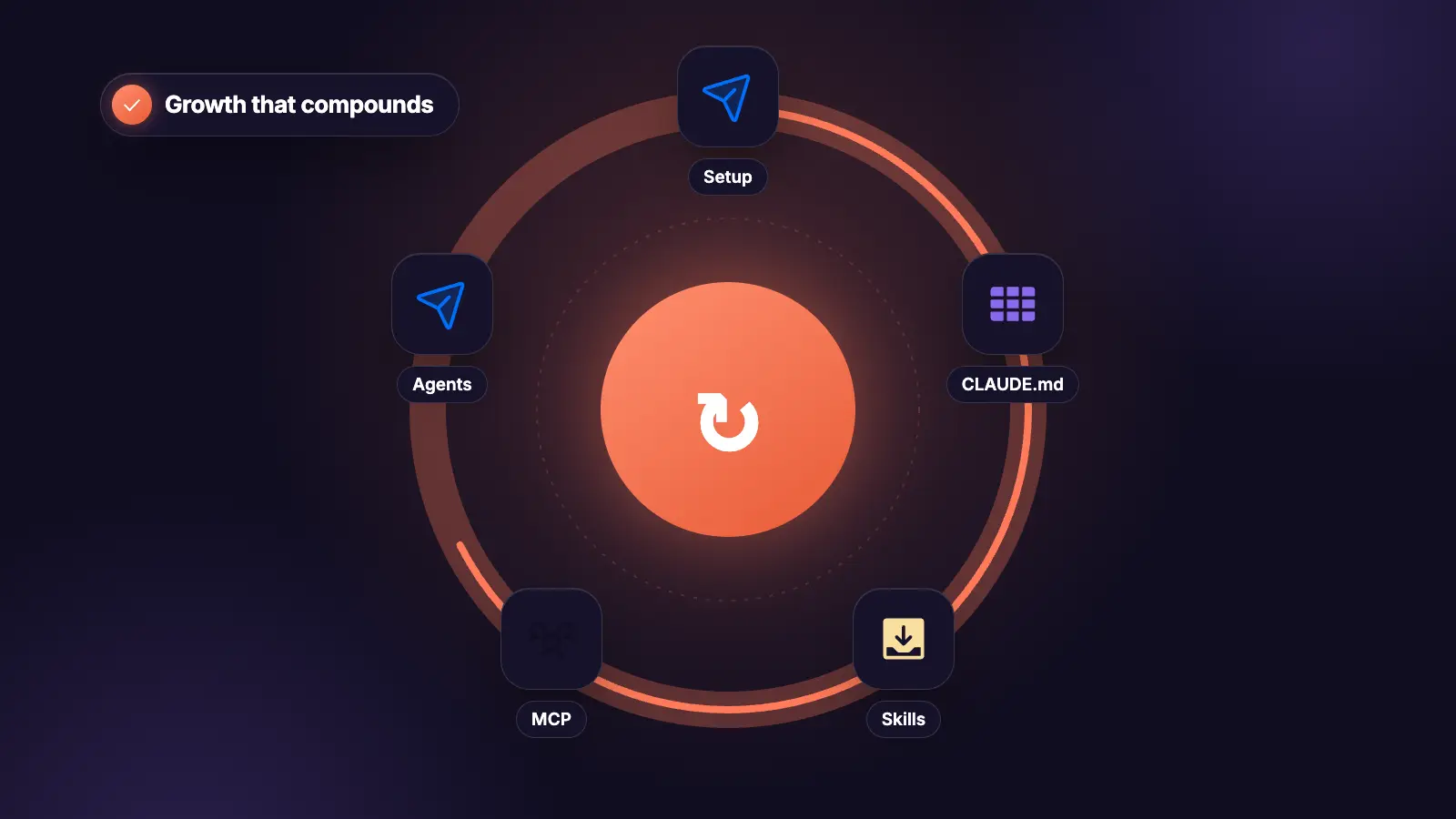
Section 1The Four-Tier System, and the Context Spine
Source: github.com/matteotitta/awesome-claude-code-for-gtm, CC0-1.0. Star counts and dates verified 2026-07-16.
The argument worth taking seriously from that list: compounding lives in the contextual spine and the folder structure, not in better prompts or more agents. Skip tier 1 and every loop below produces plausible work in the wrong voice.
The four tiers
| Tier | What it is | Where it lives |
|---|---|---|
| 1. System of context | ICP, competitors, positioning, brand as a folder hierarchy | context/ in a Git repo |
| 2. System of skills | Turns that context into research, strategy and execution outputs | .claude/skills/ |
| 3. Orchestration agents | Fire skills on signals rather than on request | .claude/agents/ |
| 4. Integrations | Pull external data in, push finished work to live destinations | MCP servers at both ends |
GTM work is mostly reading, writing, and moving structured data between systems, which is what an agent harness is actually good at. The tiers exist because each one fails differently without the one below it.
Git repos for team sharing is the detail people miss. The context folder in a repo means a new team member clones the spine rather than absorbing it over six months.
Tier 1: build the context spine first
mkdir -p gtm/context/{icp,competitors,positioning,brand,proof}
mkdir -p gtm/outputs/{research,strategy,execution}
mkdir -p .claude/skills
mkdir -p .claude/agents
cd gtm && git init
gtm/
βββ context/
β βββ icp/
β β βββ derived-icp.md # from closed-won, not from a workshop
β β βββ voice-of-customer.md # verbatim phrases only
β β βββ disqualifiers.md # who this is not for
β βββ competitors/
β β βββ [competitor].md # incl. where they are better
β βββ positioning/
β β βββ one-sentence.md
β β βββ contrarian-beliefs.md
β βββ brand/
β β βββ voice.md # 3 adjectives, 2 banned phrases
β β βββ reference-posts.md # 3 that performed, in full
β β βββ banned.md # claims nobody approved
β βββ proof/
β βββ case-studies.md # with a permission column
βββ outputs/
βββ research/
βββ strategy/
βββ execution/
brand/reference-posts.md does more work than brand/voice.md. Three adjectives describe a voice. Three real posts demonstrate one.
context/proof/case-studies.md needs a column for whether you can name the client publicly. Every skill below is instructed to read proof from there and nowhere else, which is what stops any of them inventing a number.
The CLAUDE.md that binds it
# GTM Workspace
## Read before any output
Every skill reads context/ first. If a required context file is
missing, stop and name it. Do not proceed on an assumed ICP,
positioning or voice.
## Hard rules
- No em dashes
- Proof only from context/proof/case-studies.md
- Check context/brand/banned.md before writing any claim
- Match context/brand/reference-posts.md, not the adjective list
- Outputs go in outputs/, never loose in the repo root
## Fail closed
Missing proof, missing verbatim quote, unverifiable signal, or volume
over a platform ceiling: stop and report. Never produce something
plausible in place of something missing.
## Voice enforcement
The hooks in .claude/settings.json enforce the rules above. Do not
talk yourself out of them.
The last line matters more than it reads. Hooks and settings are where you enforce voice rules and spend gates that the model would otherwise reason its way past mid-task.
The one thing people get wrong
The frontmatter description field is the entire triggering mechanism for a skill. It is also the single most common thing people get wrong.
A description that says what the skill is does not fire. A description that says when to use it does.
# Does not trigger
description: A skill for ICP work.
# Triggers
description: Derive or refine an ICP from closed-won data. Use when
targeting is unclear, before any list building, or when someone asks
who we should be selling to.
Write the description as the sentence a colleague would say when they need it. Anthropic's Agent Skills documentation covers the full frontmatter contract and progressive disclosure of reference files, and is worth reading once properly rather than copying a format from a repo.
Where the handoffs break
Most GTM automation stalls at the same point: where a human has to re-explain context the agent already had.
That is the whole case for tier 1 being a folder rather than a conversation. Research hands to strategy, strategy hands to execution, and each handoff either reads the same files or reconstructs them badly.
The failure mode in marketing output specifically is not a wrong answer. It is a plausible one in the wrong voice, which is harder to catch and worse to publish.
Section 2The Stack: 30 Repos, and Which 3 to Actually Install
Thirty repos worth knowing, with the star counts as verified on 2026-07-16. Do not install all of them.
The honest read: breadth libraries are forks-in-waiting, not curated sets. Pick one base, one marketing set, one plugin, and move on.
Start here: the safest base
# The reference implementation of the format. Read these first.
# anthropics/skills 161,607 stars
# docx, pptx, xlsx show binary format handling
# skill-creator is the canonical skill-that-writes-skills
# The most substantial marketing library. MIT, active.
# The safest base to fork for client work.
npx skills add coreyhaines31/marketingskills # 40,113 stars
# Anthropic's vetted plugin directory. Check here first.
# anthropics/claude-plugins-official 32,204 stars
Those three are the whole starter kit. marketingskills covers CRO, copywriting, SEO, analytics and growth engineering, and being MIT-licensed and actively maintained is what makes it safe to build client work on.
Marketing and GTM skill libraries
| Repo | What it is | Stars |
|---|---|---|
| coreyhaines31/marketingskills | CRO, copy, SEO, analytics, growth engineering. MIT. | 40,113 |
| pm-skills | 100+ PM skills. Launch and growth tracks are the GTM ones. | 23,844 |
| NotFair | SEO, GEO, Google Ads, Meta Ads. Only set covering paid and organic together. | 3,138 |
| aaron-marketing-skills | 120 skills, 8 commands, seven disciplines incl. SEO/GEO | 2,396 |
| ai-marketing-claude | 15 skills built on parallel subagents. Read it for the fan-out pattern. | 2,131 |
| aso-skills | App Store Optimization. The only serious ASO set. | 1,629 |
| claude-blog | 30 sub-skills, 5 agents, gated delivery dual-optimised for search and AI citation | 1,397 |
| gtm-engineer-skills | Scores a site for answer-engine visibility: 16 checks, 6 dimensions | 1,250 |
| marketing-skills (kostja94) | 160+ across SEO, content, social, influencer | 737 |
| openclaudia-skills | SEO, content, email, ads, analytics, growth. Small enough to read fully. | 573 |
| agentkits-marketing | Marketing automation, pitched at teams not solos | 566 |
| affiliate-skills | 50 affiliate skills. Narrow but honest about scope. | 548 |
| ai-business-skills | 63 bilingual skills, Vietnamese and English | 499 |
| rampstackco/claude-skills | Full website lifecycle: brand, design, content, SEO, dev, ops, growth | 461 |
| makerskills | Solo operator craft: decisions, research, scenario modelling. MIT. | 138 |
| gtm-skills/gtm | Research, intel, outreach, CRM. Last pushed Feb 2026, treat as reference. | 116 |
| seo-skill-bench | Runs SEO skills headlessly against fixture sites and scores them | 111 |
| wholesaler-claude-skills | Six real estate wholesaler skills. A worked vertical example. | 38 |
| claude-code-marketing-quickstart | Scaffolds skills, agents and a folder convention that survives multiple projects | 35 |
| founder-skills | B2B SaaS founders: GTM plus product, eng, design | 26 |
| genesys-skills | Positioning, messaging, competitor research, ICP, content. From live engagements. | 15 |
seo-skill-bench is more interesting than 111 stars suggests. It is the only attempt on the whole list at measuring whether any of these skills actually work.
ai-marketing-claude is worth reading even if you never install it. The website audit that fans out across pages concurrently is the parallel-subagent pattern, and it ports to any multi-page GTM research job.
Check borghei/Claude-Skills licence before commercial reuse: MIT with Commons Clause. Its standards/ directory documents orchestration protocols rather than shipping prompts, which is the useful part.
Breadth libraries: fork, do not install
- agentic-awesome-skills, 1,900+ skills across Claude Code, Cursor, Codex CLI and Gemini. 43,394 stars. Breadth over depth.
- VoltAgent/awesome-agent-skills, 1,000+ skills, cross-harness compatible. 28,210 stars.
- alirezarezvani/claude-skills, 345 skills, 30+ agents, 70+ commands, installs as a unit. 22,703 stars. Useful if you want a working config to strip down rather than a blank harness.
Treat all three as starting points to fork. Installing 1,900 skills means a context cost on every session and a triggering collision problem you will spend a week debugging.
Agents and plugins
Agents
wshobson/agents, 37,954 stars. Multi-harness marketplace across Claude Code, Codex CLI, Cursor and Copilot. Largest and most cross-compatible.VoltAgent/awesome-claude-code-subagents, 23,387 stars. 100+ subagents. The value for GTM is the dispatch patterns, not the agents.awesome-claude-code-sub-agents, 165 stars, last updated September 2025. Check freshness before relying on it.
Plugins
claude-hud, 26,461 stars. Shows context usage, active tools, running agents and todo state live. Context usage is the number that matters on long GTM research runs and this is the cheapest way to see it.compound-engineering-pluginfrom Every, 23,251 stars. Built on the idea that each shipped change makes the next cheaper. The product-pulse and ship-learnings patterns port cleanly to GTM.codex-plugin-ccfrom OpenAI, 28,924 stars. Calls Codex from inside Claude Code for review or delegation.
claude-hud first. Long research loops fail on context exhaustion more than on capability, and you cannot manage what you cannot see.
Stop the output reading like output
Two utilities, both large, both doing one job.
humanizer, 29,458 stars. Removes the tells of AI-generated writing. The most directly useful thing on the list for anyone publishing agent-drafted copy under their own name.caveman, 90,082 stars. Cuts roughly 65% of tokens by stripping prose to essentials. A blunt instrument, but the token maths on long research runs is real.
Use caveman on inputs to a research loop and humanizer on outputs from a content loop. Reversing that ruins both.
Section 3Tier 4: The MCP Layer, and the Gaps It Has
Tier 4. The layer that turns a writing assistant into something that reads your CRM and pushes finished work to live destinations.
Two things to know before wiring anything up, both of which most lists leave out.
The gap nobody states
No first-party MCP server exists for Google Ads, Meta Ads, LinkedIn Ads, Semrush, Mixpanel, Search Console, Clay, Hunter, Pipedrive or Close.
GTM's highest-spend surfaces are entirely community-built. That is worth weighing before you hand one of them a budget.
The practical rule: community servers for read, first-party or nothing for write. An unvetted community server with write access to an ad account is a risk with no upside, since you can read the numbers and make the change by hand.
And vendors are migrating to hosted. Ahrefs and PostHog both archived their local repos in favour of remote endpoints. HubSpot, Apollo and Attio are hosted-first with no meaningful public repo. A repo-only view of this space is already wrong.
One trap: HubSpot/mcp-server on GitHub exists under the real org but is an empty placeholder. Use the hosted server.
The servers worth connecting
| Server | What it reaches | Status |
|---|---|---|
| HubSpot MCP | CRM objects and engagements, read and write | Official, hosted only, mcp.hubspot.com |
| firecrawl-mcp-server | Scraping, crawling, search, structured extraction | Official. 6,969 stars, highest in the GTM stack. |
| exa-mcp-server | Neural web search and crawling | Official. 4,728 stars. |
| apify-mcp-server | Thousands of scrapers: social, search, maps, ecommerce | Official, OAuth. 1,963 stars. |
| mcp-gsc | Search Console | Community, de-facto standard. Google publishes none. 1,174 stars. |
| salesforcecli/mcp | Salesforce | Official, CLI team, Apache-2.0. 440 stars. |
| twenty-crm-mcp-server | Twenty, the open-source CRM | Community. 68 stars. |
| gtm-mcp | A full cold outreach pipeline, not a vendor server | Community. 62 stars. |
Two path corrections that most lists still get wrong. mendableai/firecrawl-mcp-server redirects to firecrawl/firecrawl-mcp-server after an org rename. And Apify's server was formerly actors-mcp-server, so publish the new path.
twenty-crm-mcp-server paired with Twenty is the only fully inspectable CRM-agent stack on the list. Open CRM plus open server. Worth knowing if a client has a compliance objection to hosted.
gtm-mcp is small at 62 stars but it is the most complete open GTM pipeline: one /launch command finds companies through Apollo, classifies them, and drafts outreach.
Read the transports page first
The single most consequential decision in tier 4, and it is made before you write anything.
The difference between stdio and HTTP servers determines whether your GTM stack works in a cron job or only on your laptop.
That matters because loops 1, 5 and 6 in this guide are scheduled. A stdio server means they run only while you are sitting there, which makes them a manual process with extra steps.
# The canonical reference servers, MCP steering group
# modelcontextprotocol/servers 88,543 stars
# Note: no longer carries a third-party integrations list
# Where third-party servers now live
# modelcontextprotocol/registry 7,027 stars
# The comprehensive community list
# punkpeye/awesome-mcp-servers 90,842 stars
# The full GTM catalogue, with gaps stated per vendor
# matteotitta/awesome-gtm-mcp-servers
The minimum viable connection set
Keep three to five active. Each costs context at session start, and past five you are paying for tools you are not using in that session.
# 1. CRM. Non-negotiable. Without it the ICP is guessed.
# HubSpot hosted, or Salesforce, or Twenty.
# 2. Web extraction. Firecrawl or Exa. One, not both.
claude mcp add firecrawl --transport http https://mcp.firecrawl.dev
# 3. Search Console, if organic matters.
# mcp-gsc. Community, read-only in practice.
# 4. Scraping at volume, if outbound matters.
# Apify. OAuth, so hosted clients connect by URL alone.
The CRM connector is the highest-leverage one on the list, because it is what lets the research loop derive an ICP from who actually bought rather than from who someone described in a kickoff call.
Where the send layer sits
The list is explicit that LinkedIn Ads has no first-party server, and the same is true of organic LinkedIn activity. There is no sanctioned MCP that sends connection requests or DMs.
That is not a gap to fill with a community server. Automated activity from an unusual environment at machine pace is how accounts get restricted, and a client's LinkedIn account is not yours to risk.
Prosp is the purpose-built layer for that half: cloud-based so nothing depends on a session staying open, a free dedicated residential proxy per connected account, and activity paced under the platform's thresholds. Setup is about five minutes, free trial, no card.
So the division across tier 4 is: MCP servers for read and for pushing to systems you own, and a dedicated sender for anything that reaches a person on LinkedIn. Loops 4 and 6 below both end at that boundary.
Section 4The 6 Loops, Full Copy-Paste
A loop is a skill that runs on a cadence rather than on request. Six of them, each a full copy-paste file.
mkdir -p .claude/skills/{signal-loop,research-loop,content-loop,outreach-loop,visibility-loop,diagnostic-loop}
Every one opens by reading context/. That is the whole reason they compound rather than each reinventing your positioning.
Loop 1: signal-loop
Tier 3. This is the orchestration agent that fires the other loops rather than waiting to be asked.
---
name: signal-loop
description: Scan for GTM signals daily and fire the right loop. Use
on a schedule, or when asked what changed this week.
---
# Signal Loop
Read context/icp/derived-icp.md and context/competitors/.
SCAN, daily
- New leaders in post at ICP-matching companies, last 7 days
- Job postings for the role our offer replaces
- Funding rounds in the ICP, last 7 days
- Competitor posts with unusual engagement
- Search Console: any page down more than 20% week on week
- CRM: deals with no activity in 14 days
ROUTE, one signal to one loop
New leader or funding -> outreach-loop, tier 1 priority
Job posting -> outreach-loop, tier 1 priority
Competitor post traction -> content-loop, borrow the angle
Search Console drop -> visibility-loop on that URL
Stalled deal -> diagnostic-loop on that stage
Nothing significant -> one line saying so, and stop
The last route matters. A loop that produces a full report every day
regardless gets ignored by week three.
FAIL CLOSED IF
- A source is unreachable. Name it. Do not report an all-clear on
partial coverage.
- More than 10 signals fire in one day. Report the count and the top
3 only. Ten routed loops is a queue nobody works.
OUTPUT to outputs/research/signals-[DATE].md: the signal, the date,
the source URL, the loop fired.
Loop 2: research-loop
The fan-out pattern, borrowed from ai-marketing-claude. Parallel subagents on independent pages, one synthesis at the end.
---
name: research-loop
description: Research an account, competitor or market in parallel and
synthesise once. Use before outreach, before a pitch, or when
positioning needs evidence.
---
# Research Loop
Read context/ for the ICP and the current positioning.
FAN OUT. Dispatch independent subagents, one per surface, and keep
working on synthesis structure while they run:
Subagent A their site: services, pricing, positioning language
Subagent B their content: last 10 posts, recurring themes
Subagent C their hiring: open roles and what they imply
Subagent D their reviews and comments: the problem in customer words
Subagent E their competitors: who they position against
Each subagent returns a numbered raw file into
outputs/research/[target]-[DATE]/ so the run is auditable and
re-runnable.
THEN SYNTHESISE into one BRIEF.md:
- The problem they would name, in their words, quoted
- What they have tried, and the visible evidence it failed
- The gap between their positioning and ours
- Three angles, ranked, with the lever each pulls
- What we could not determine, and what access it would need
FAIL CLOSED IF
- Fewer than three subagents returned usable output. Report which
and stop. A brief from two surfaces is a guess.
- The site is unreachable. Do not synthesise from the LinkedIn
profile alone and label it a company brief.
Never assert a metric about their business. Only observable facts and
their own published words.
The numbered raw files before synthesis is the part worth copying. It means a re-run in three months is a folder diff rather than a fresh guess.
Loop 3: content-loop
---
name: content-loop
description: Turn one long asset into a month of channel content. Use
weekly, or when a research brief produces a publishable angle.
---
# Content Loop
Read context/brand/reference-posts.md, context/brand/voice.md,
context/brand/banned.md and context/proof/case-studies.md.
ONE LONG ASSET PER MONTH becomes everything else. Never write channel
content from a blank page.
EXTRACT from the long asset:
- 10 to 12 standalone ideas. One idea per line. No idea that needs
the others to make sense.
THEN PER IDEA produce one post:
- Hook in lines 1 to 2, earning the See More click alone
- One idea per line, three lines maximum per paragraph
- No em dashes, no hashtags in the body
- One CTA
- Match reference-posts.md, not the adjective list
STATUS on every output: DRAFT. Never scheduled, never published.
FAIL CLOSED IF
- A post needs a claim not in case-studies.md. Leave the gap and
flag it. Never fill it.
- A phrase appears on banned.md. Rewrite rather than ship it.
- The long asset yields fewer than 8 standalone ideas. Say so. It is
not substantial enough to repurpose and forcing it produces filler.
Write to outputs/execution/content-[DATE].md and log to the calendar.
Run humanizer over the output before anything is published under a human name. That is what it is for and it is the last step, not an optional one.
Loop 4: outreach-loop
---
name: outreach-loop
description: Turn a signal into a sequence spec ready to send. Use
when signal-loop routes a tier 1 signal, or on a new list.
---
# Outreach Loop
Read context/icp/, context/icp/disqualifiers.md, and the signal file.
STEP 1 Filter the list against the ICP. Per row: KEEP, DROP or
UNSURE, with a 12-word reason. Keep dropped.csv so the
filter is auditable.
Run this on the cheapest model available. It is
classification across volume, not reasoning.
STEP 2 Grade the survivors A to F on ICP fit, title accuracy,
affordability, completeness, dedupe, recency, reachability,
signal strength. Below B, stop and rebuild.
STEP 3 Write the sequence as a node list. Per node: action, delay,
exact copy, exit condition.
- First touch under 300 characters
- Line one references the signal specifically, not its
category
- One ask, answerable in under ten words
- Four touches maximum
- Reply stops the sequence, always
- Every touch a different angle. Never "just following up".
STEP 4 Branch on connection state. 1st degree messages directly.
Cold gets a connection request, then the message on
acceptance. No wait node after a connection request.
STEP 5 State the daily send split against the account ceiling.
BANNED OPENERS, burnt:
"I came across your profile"
"I help [vertical] with [service]"
"Are you open to a quick chat"
FAIL CLOSED IF
- The grade is below B
- The signal column is empty for most rows. A sequence referencing a
signal that does not exist is a template.
- Requested volume exceeds the ceiling. State the ceiling and the
split rather than writing the sequence.
The spec maps onto the Prosp builder node for node. Actions: connection request, message, voice note, InMail, message to open profile, comment on last post, reply comment, like last post, visit profile, wait X days, add tag. Conditions: has LinkedIn URL, lead is 1st level, opened message, lead is open profile, check data in column.
The ceiling step 5 checks against is real: 20 connection requests a day and roughly 100 messages a week, account-wide rather than per campaign. Connection requests auto-detect acceptance over two weeks, which is why step 4 forbids the wait node.
Loop 5: visibility-loop
---
name: visibility-loop
description: Check organic and AI answer visibility, weekly. Use on a
schedule or when signal-loop flags a traffic drop.
---
# Visibility Loop
You cannot see rankings, volumes or Core Web Vitals without the
Search Console connector or a pasted export. Work from real data or
say what you need.
WEEKLY, on connected data
- Last 7 days versus previous 7: query, page, clicks, position
- Flag any page where clicks fell over 20% or position dropped over 3
- If nothing flagged: one line saying so, and stop
PER FLAGGED PAGE
- Likely causes, ranked, never asserted as fact
- What to check first
- Whether the angle still matches the current ICP in context/
ANSWER ENGINE CHECK, monthly
- Does the opening 40 words directly answer the target query
- Passage-level quotability: short standalone claims that can be
lifted without the surrounding paragraph
- Schema present and valid
FAIL CLOSED IF
- No connected data source. Do not estimate traffic movement.
- A cause cannot be distinguished from two others. Name all three
rather than picking one.
Write to outputs/research/visibility-[DATE].md.
One honest caveat to carry into any AEO work here. Observational research across roughly 2 million citations found prompt-content alignment to be the dominant page-level predictor, while the standard checklist of FAQ blocks, structured data and Core Web Vitals collapsed toward zero once domain fixed effects were applied. That study is observational, scoped to 19 B2B SaaS workspaces, and cannot establish causation. Treat the schema check as hygiene rather than as a lever.
Loop 6: diagnostic-loop
---
name: diagnostic-loop
description: Diagnose which stage of the funnel is broken. Weekly, or
when signal-loop flags a stalled deal.
---
# Diagnostic Loop
Work the chain IN ORDER. Stop at the first failure. Do not report
five stages of numbers when the first one is broken.
1 ACCEPTANCE BELOW 15%
The connection note, or the list is off-ICP. Not the sequence.
2 ACCEPTANCE FINE, REPLIES BELOW 10%
The list is fine. The first message is the problem.
3 REPLIES FINE, MEETINGS LOW
The ask is mistimed, or the offer is wrong.
4 MEETINGS FINE, DEALS NOT CLOSING
Not an outreach problem. Price or offer fit.
5 ALL FINE, VOLUME LOW
Capacity-limited on sends. Check the daily split.
OUTPUT
- The failing stage, with the numbers identifying it
- Exactly ONE change for this week
- Whether any kill criteria have passed their date
FAIL CLOSED IF
- Figures are incomplete. Name which stage cannot be assessed.
- More than one stage appears broken. Report the earliest only.
Fixing a later stage while an earlier one is broken teaches you
nothing.
Never more than one change per week. Never soften a kill
recommendation.
Write to outputs/research/diagnostic-[DATE].md.
Stages 1 to 3 need outreach data that no MCP on the list provides. Prosp supplies it: requests sent and accepted, messages sent, replies received, per campaign and per account, pushed natively to HubSpot or out through 12 webhook events and a REST API at prosp.ai/api/v1/leads. So the loop runs on real figures rather than a manual export.
Running them on a schedule
Daily 07:00 signal-loop
Daily 08:00 whatever signal-loop routed, tier 1 only
Weekly Mon diagnostic-loop, one change
Weekly Mon visibility-loop
Weekly Tue content-loop, this week's posts to DRAFT
Monthly research-loop on the two biggest accounts
Monthly the long asset that feeds content-loop
Quarterly re-derive the ICP against closed-won
This is where the stdio versus HTTP decision from tier 4 lands. Scheduled loops need HTTP servers. On stdio they run only while you are sitting there, which makes them a manual process with extra steps.
Keep claude-hud running while these execute. Long research loops fail on context exhaustion more often than on capability.
Three things to remember
- Build the context folder before any loop. Compounding lives in the contextual spine and the folder structure, not in better prompts or more agents.
- The frontmatter description is the entire triggering mechanism. Write it as the sentence a colleague would say when they need the skill.
- A quiet week should produce one line, not a report. Every loop here has a nothing-significant branch, and that branch is why they still get read in month three.
The loops produce the work. Prosp runs the half that reaches people π
β³ Start a 14 Day Free Trial π β³ Watch Full Tutorial βΆοΈ